
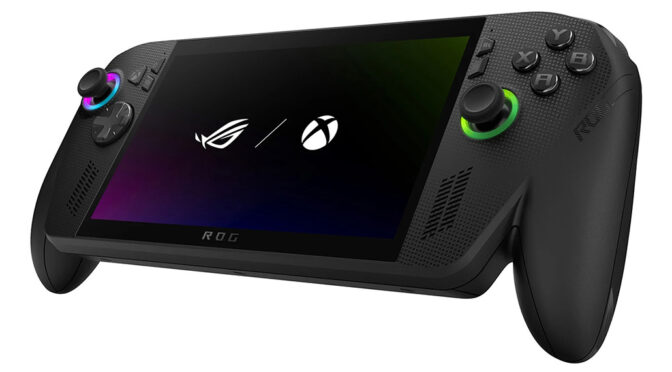
The ROG Xbox Ally X is many things, but an Xbox it is not.
The ROG Ally X 2, sponsored by Xbox, would be a more appropriate name. Welcome to the world of handheld gaming.
Nintendo jumped into portable gaming feet first with its highly successful Switch consoles. It’s not, however, been the same for Nintendo’s competition.
Sony’s 2004 PlayStation Portable was a good try and quite popular. But it was downhill from there. The PSP Go never really took off, and the PSP’s successor, the PlayStation Vita, was pretty much abandoned by Sony in favour of its PlayStation 4. The PlayStation 5 handheld accessory, the PlayStation Portal, offers portable PlayStation 5 gaming capabilities, but in most territories, only by streaming from a host PS5 console.
I was surprised to see the wave of handheld gaming PCs, initiated by Valve’s Steam Deck, arrive before a dedicated Microsoft handheld console. The Steam Deck was followed by the likes of the OG ROG Ally and Lenovo’s Claw.
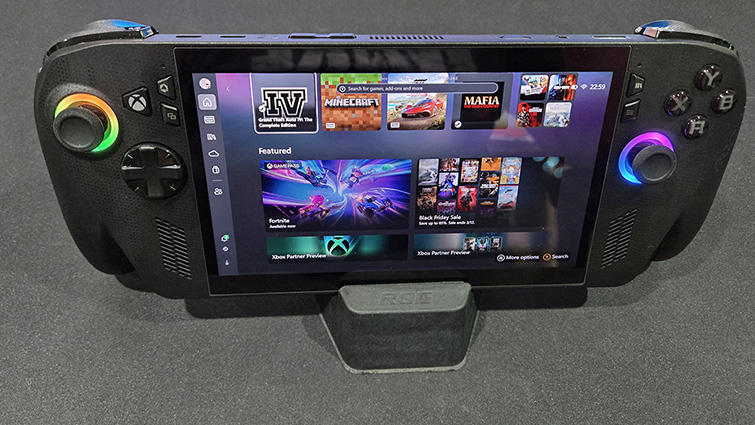
The absence of a portable Xbox console since the brand’s introduction in 2001 has been a topic of debate for years. There have been rumours, but nothing firm. Then, suddenly, out of the blue, we get Xbox-branded versions of Asus’s Ally handheld: The ROG Xbox Ally and its more powerful sibling, the ROG Xbox Ally X.
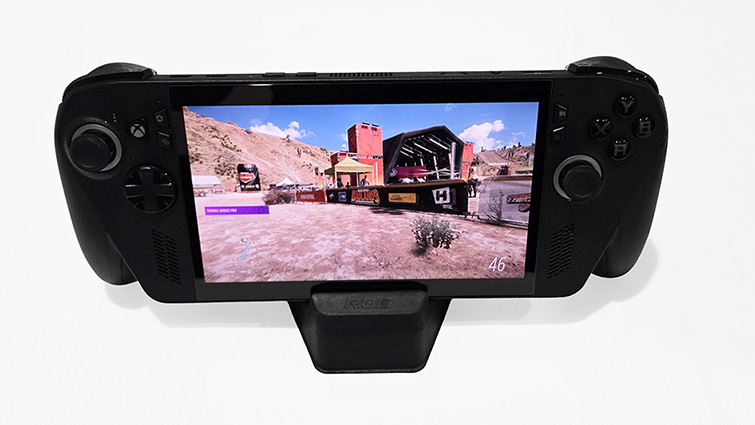
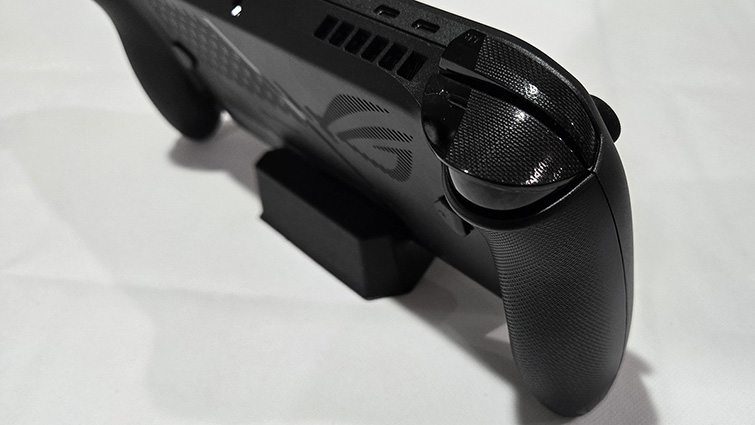
The ROG Xbox Ally X takes a leaf out of the PlayStation Portal by sticking a screen between the two sides of an Xbox controller. This is the biggest physical departure from the regular Ally handhelds, the ROG Ally and ROG Ally X. It makes the Xbox Ally X the most comfortable gaming handheld I’ve ever used. It’s a massive tick.
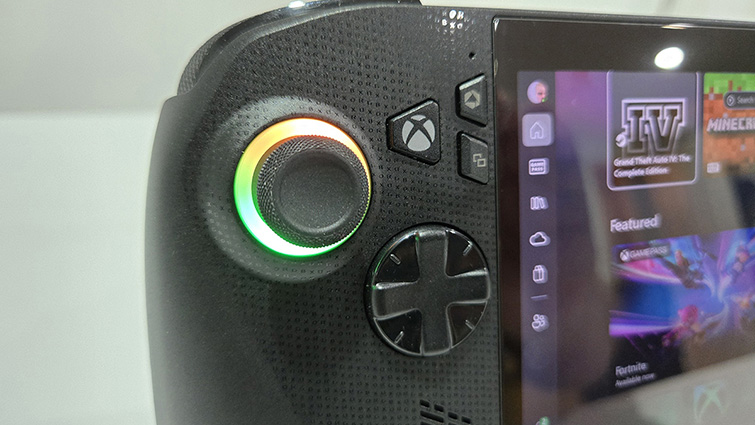
There’s also an extra “Xbox” button (which would have looked better as a round button like on an Xbox controller) as well as an embossed “ROGXBOX” pattern on the front face. Other than that, it looks like an Asus ROG Ally.
Which is what it is, really.
As soon as I picked the unit up out of its packaging, compared to my OG Ally, the build quality of the Xbox Ally X felt a bit lacking. It doesn’t feel as solid or robust as the original Ally. The thumbstick movement feels more like those on an Xbox controller; however, instead of the effortless click when pressed, they are a bit hard work. The shell feels thin and plasticky, likely out of necessity to keep the weight down.
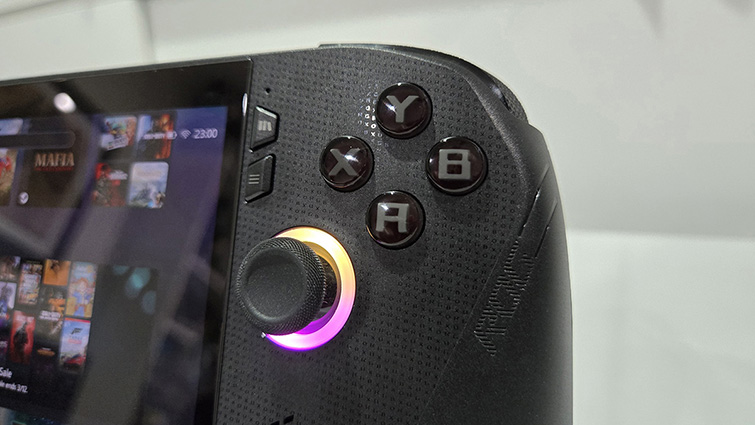
The right grip on the review unit creaked when squeezed, which seems to be a common issue. Whilst you are unlikely to notice this during play, it is a bit disappointing for an AUD$1600 device.
Inside the machine is a 2.0Ghz AMD Ryen Z2 Extreme processor with an onboard AMD XDNA NPU and Radeon GPU. There’s 24GB of LPDDR5X SDRAM running at 4266MHz, which is shared with the GPU. A 1TB Samsung PCIe 4.0 NVMe 2280 M.2 SSD provide data storage, which can easily be upgraded for a larger drive. The unit is powered by an 80WHrs Li-ion battery, which should give you a few hours of play with a AAA game.
The 7-inch 16:9 1920×1080 IPS-level screen is the same as previous models. But overall, the Xbox Ally X is an improvement on the last Ally, the ROG Ally X, in having a faster processor (including an NPU), slightly faster memory and twice the storage.
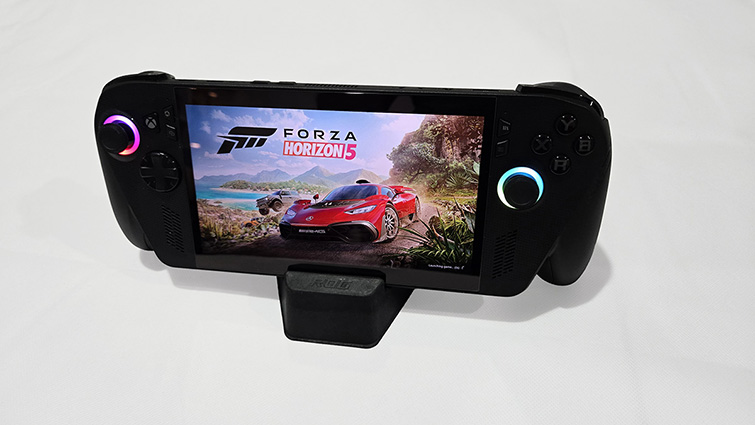
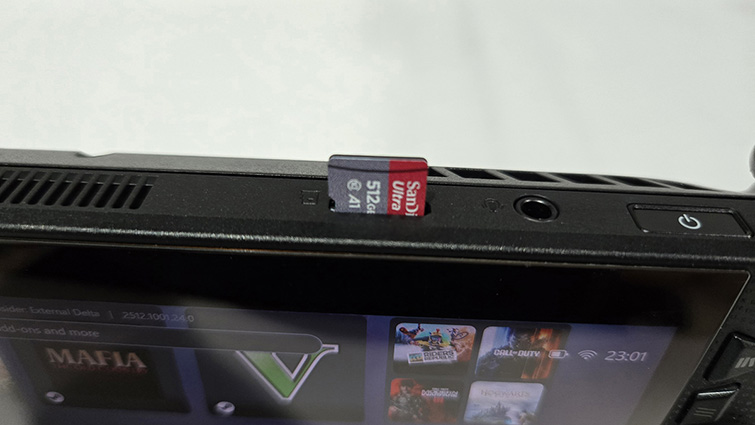
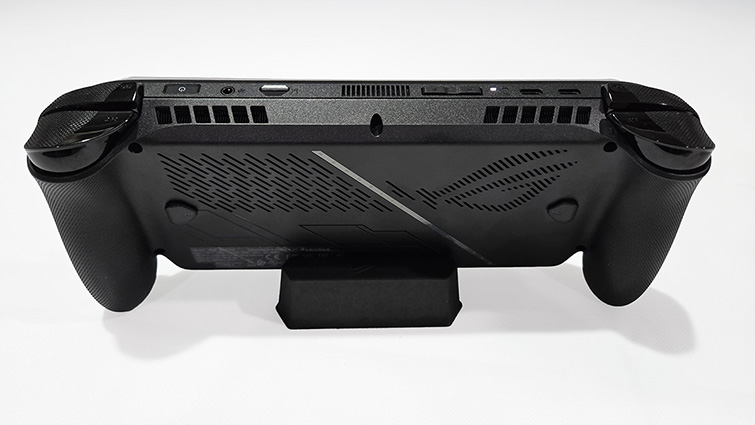
There’s plenty of connectivity with 1x 3.5mm Combo Audio Jack,1x USB 3.2 Gen 2 Type-C (supporting DisplayPort/power delivery), 1x USB Type-C (supporting USB 4 with Thunderbolt 4 compliance, DisplayPort 1.4 with Freesync support and power delivery 3.0) and 1x UHS-II microSD card reader (supporting SD, SDXC and SDHC). Along with the 80W battery, these are all the same as the Ally X. But with the advanced processor and faster memory, it is technically a much more refined product over the OG Ally and bests the Ally X as well.
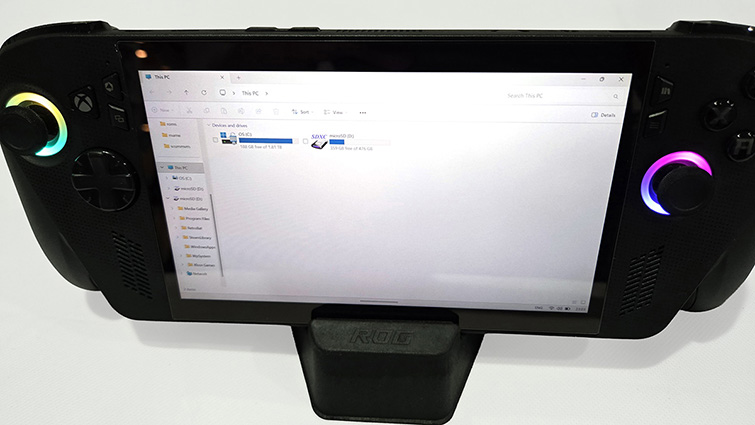
Unlike the OG Ally, the Xbox Ally X (as with the ROG Ally X), uses a 2280 M.2 NVMe SSD for storage, rather than the smaller, less common (and more expensive) 2230 M.2 size. As before, swapping out the SSD for a larger drive is relatively easy, if a bit time-consuming, to download and reinstall the operating system. A bit of extra storage can also be obtained via microSD card, offering read/write speeds similar to that of a traditional hard disk drive.
Switching the device on for the first time, you need to make sure that it is powered from the mains and not the battery. Unlike the comparatively groovy Xbox console out of the box experience, you are confronted with the perfunctory Windows setup screens, asking for your region and your Microsoft account details. In those first moments, the Xbox Ally X betrays itself as being a handheld Windows PC and not a portable Xbox.
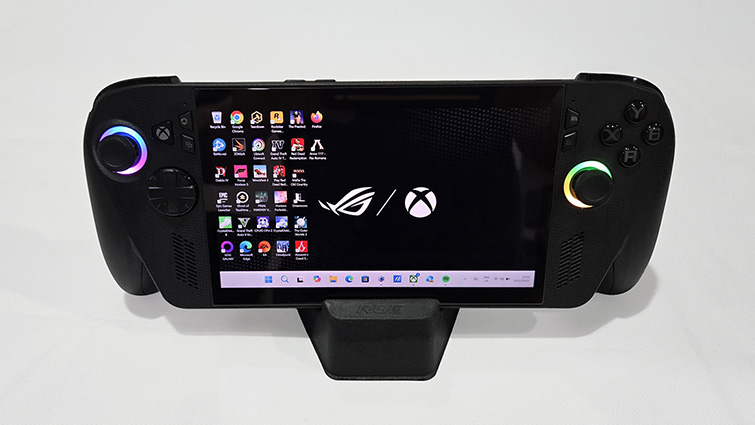
The device operates in a special Windows 11 game mode that (apart from the login screen) very much insulates players from the Windows 11 operating system. You can easily use the ROG Xbox Ally X without ever having to dip into Microsoft’s operating system.
But it’s not all plain sailing.
Aside from the Xbox-inspired shape of the device, the user interface is the biggest change, with the Xbox app (that’ll be familiar to PC gamers and those who use the Android Xbox app) used as the device’s frontend. That’s not to say Asus’s own Armoury Crate isn’t there, it is, as is Windows.
The Xbox Ally X defaults to the Windows game mode, which switches off unnecessary operations, such as the Windows desktop. You can still easily access the full Windows 11 environment, but you will be asked to restart if you want to go back to the game-optimised “full screen” Xbox environment.
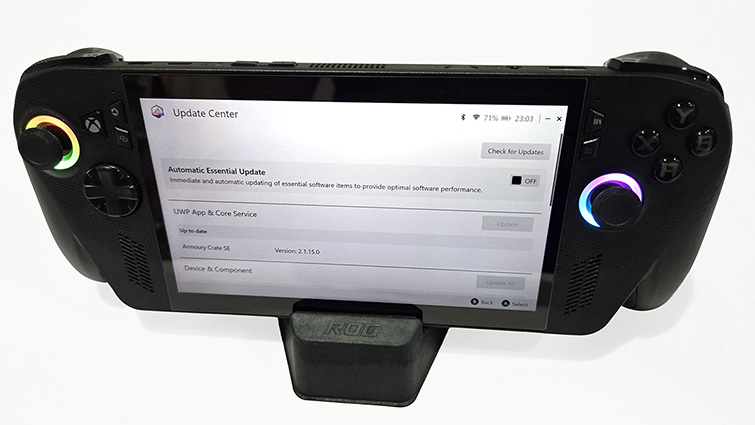
The Xbox app shares device admin duties with the Asus ROG Armory Crate software, the default user interface used by previous Allys. Whereas the Xbox app has all the shiny games and things, Armoury Crate looks after the technical aspects of the device. And it’s here that you need to go first off to start the new Xbox Ally X’s software and firmware updates.
I found numerous updates available in Armoury Crate for the various hardware components. In the Windows 11 environment, there were even more updates available. The MyAsus app, which I found sitting in my Windows Taskbar, also had some more updates for me.
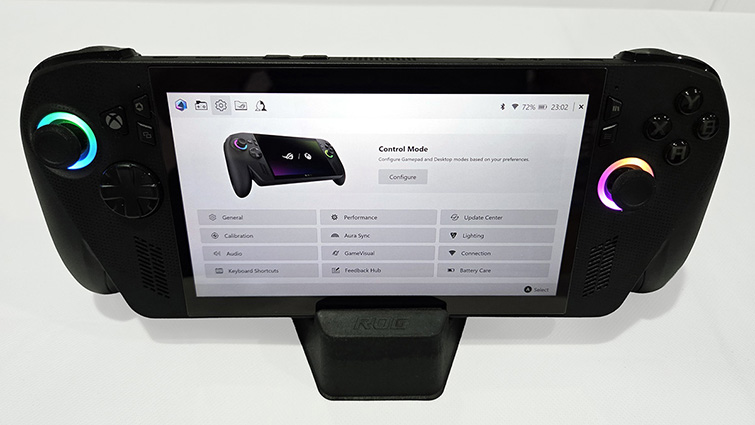
From my fiddling, the amalgamation of Microsoft’s Xbox app and Asus’s Armoury Crate seems to have both vying for control of the Xbox Ally X gaming experience. And there’s no easy way to get around this. Armoury Crate is necessary to control the device’s power management and memory allocation; it also administers driver and firmware updates. To be fair, it’s a reasonably OK application, and certainly better than the Armoury Crate of old. But it doesn’t always play nice with the Xbox app.
The relationship between the Xbox app and Armoury Crate still needs work, being unrefined and at times frustrating. You can see why the Windows game mode is reserved for Insiders and Xbox Ally users for now.
Ah, yes, Windows. Whilst you can use the device without dipping into Windows proper, it’s likely you still will. The Xbox Ally X is a handheld Windows PC with all the benefits and disadvantages that come with PC gaming.
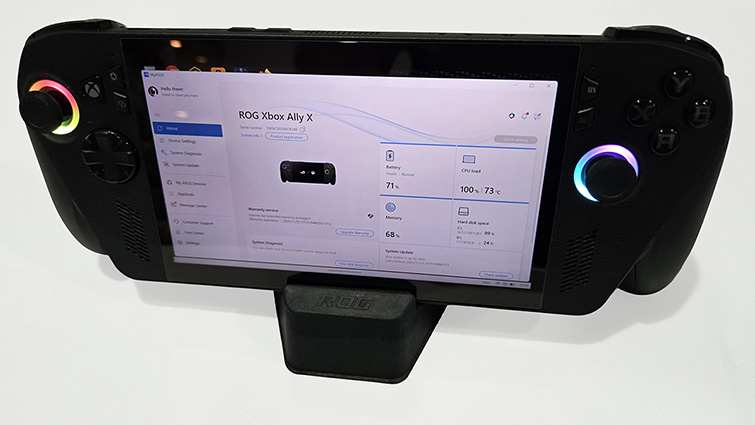
If you select the Windows environment by pressing and holding the Xbox button, the Windows 11 desktop will appear, and all those services previously offline to improve gameplay performance will start up. At this point, you will likely need to switch the control method from “Auto” to Desktop”, with the right thumbstick being the mouse movement, the right bumper being the left mouse click, and the right trigger being the right click. This works well with minor tasks, as does the keyboard app. If, however, you are going for a deep dive into the Windows environment, you are better off using a full-sized monitor with a keyboard and mouse.
The best way to do this is by buying a $20 Ugreen USB/HDMI Hub. You just plug in your Ally Power cable, a USB keyboard and mouse, and connect it to a monitor via an HDMI cable, and you are away. If you’ve a USB Ethernet adapter, you can hardwire the Ally to your network for potentially faster Internet speeds.
With a keyboard, mouse and monitor, the ROG Xbox Ally X functions as a fully-fledged PC. You can write letters with Word and edit photos with Photoshop. But more likely you’ll be sorting out the esoteric file structure for emulators like Retrobat so you can play 50-year-old arcade games on your state-of-the-art handheld PC.
The greatest thing about console gaming is the ability to just switch the console on and play. No driver updates, no conflicts, no surprises. It’s not as it once was, with occasional updates still getting in the way, but compared to PC gaming, console gaming is a breeze.
The Asus ROG Xbox Ally X is a PC that has been shoehorned into a tiny case. But compared to my whirring, nearly metre-high gaming rig that doubles as a room heater, the Xbox Ally X is technological witchcraft.
Of course, there are compromises. Big compromises.
That consoles have gaming performance anywhere near that of a gaming PC costing four times the price is astounding. This is done via custom platform-specific optimisations and cheats to optimise the code in a manner that carefully balances visual fidelity against performance.
The ROG Xbox Ally X doesn’t have this luxury. It is a PC, and PCs tend to jump in feet first when it comes to game performance settings, leaving the user to tweak the experience to taste. This may be a bit too much for console gamers used to a more plug-and-play experience.
You are also very much at the mercy of Microsoft’s sometimes flaky Xbox profile system. For no apparent reason, you may have to sign in to your account again, even though you are already signed in. If you are unlucky, you could find that, for some games in the Xbox app, you are just unable to sign in, resulting in endless loading times. This is a big issue if you really want to take advantage of the Play Anywhere facility.
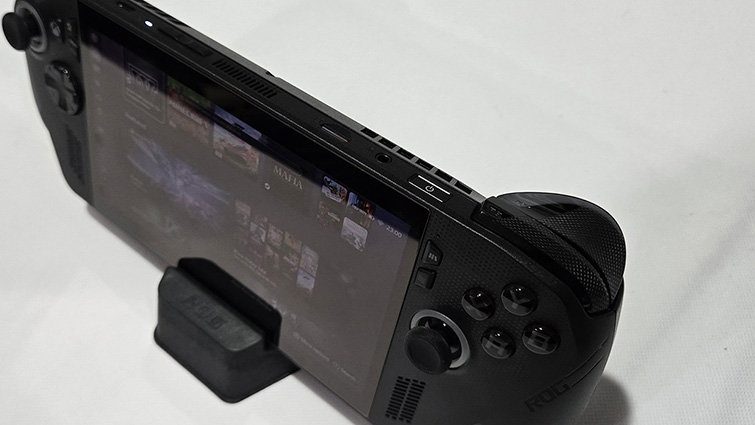
The Xbox Ally X directs you towards the Xbox app for your PC gaming experience. It’s not the best PC storefront; that accolade goes to Steam, followed by GOG’s very hands-off app. The Xbox app/Microsoft Store is a downright pig, chock full of licensing issues and profile bugs. So even if you own a game, it may flat-out refuse to install.
But this leads us to one of the benefits of the Xbox Ally X. You can have all your games in one place, be it in your Steam, Epic, BattleNet or GOG library, the handheld’s Xbox frontend will, by and large, give you easy access to them all.
Much of the reason for the Xbox branding stems from the recently upgraded Xbox Game Pass integration with Ubisoft+ Classics, joining EA Play for top-tier Ultimate subscribers. This, with the expansion of the Xbox Play Anywhere program to include more games that provide digital versions of both Xbox and PC versions of the game in one purchase, means yes, you can play many of your Xbox games on the ROG Xbox Ally X.
Sort of.
If you think you are going to have access to your entire Xbox Series X|S games library on the go with the ROG Xbox Ally X, you are going to be sadly mistaken. Some of your games, those that are part of the aforementioned Xbox Play Anywhere program, are going to be available, but only if you purchased them digitally. The list of Play Anywhere games stands at about 1000 and growing. The recent re-jig of Xbox Game Pass will add some more games to your library, depending on which tier you go for. As I previously mentioned, with Ultimate, you get access to EA and Ubisoft games, so even if they are not Play Anywhere, you may find PC versions of your games available on the ROG Xbox Ally X.
Whilst Play Anywhere games should behave, there’s no guarantee that other games will allow you to continue to play where you left off. This is because you are playing the PC version of the game- not the Xbox version.
Saving the best until last, let’s talk performance.
The 3D Mark benchmark test results were a bit of a worry, to be honest. With the unit plugged in and running at 35W turbo mode, the results were barely better than an average office laptop.
The gruelling Speed Way benchmark was little more than a slideshow, limping by with a score of 590. It’s better than the OG Ally’s 409, but still a lot lower than a gaming laptop. The equally taxing Steel Nomad test scored 599, again a slight improvement over the OG Ally’s score of 483, but nothing to shout about. The Port Royal test result of 1983 was a better bump from the OG Ally’s 1450, as was the aging Time Spy Extreme result of 1914 vs. the OG Ally’s 1489.
Overall, the 3D Mark results painted a picture of a device that seems just not that much of an improvement over the original ROG Ally.
But let’s get real for a minute.
For game performance and visual fidelity, if you see the Ally as a Switch-style handheld gaming console and not a handheld gaming PC, you are probably on the right track. There’s going to be compromises. Yes, you can plug the Xbox Ally X into a 4K TV, but you probably shouldn’t. It’s just not designed with 4K in mind.
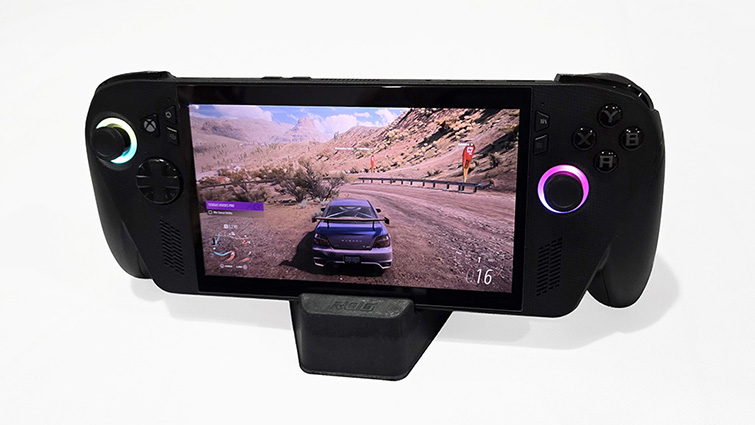
That being said, many games actually ran shockingly well on the Xbox Ally X, and with little to no compromise.
The upgraded processor, whilst seemingly not being much in the way of a performance improvement in the benchmark results, surprised me in offering a much better real-world gaming experience than the OG ROG Ally. And this was all without having to fine-tune game settings or sacrifice resolution to make games playable.
Rockstar’s Red Dead Redemption 2 looks absolutely stunning, as does Grand Theft Auto 5. Bethesda’s recently remastered The Elder Scrolls 4: Oblivion doesn’t, however, fare quite as well. The new Call of Duty: Black Ops 7 runs blisteringly fast, as do all the Forza Horizon games.
A lot of it comes down to the expertise of the developers, something that’s only going to get better as this handheld PC gaming form-factor becomes more popular. Many developers have now come to the handheld gaming PC party, with a lot of optimised titles accommodating both the smaller screen and the limited input control required when gaming on the go.
Finally, I have to give the unit’s sound a big shoutout. Just as with the OG Ally, the Xbox Ally X’s directional audio is superb. The sound, along with the haptic feedback, complements the device’s superb visuals.
The ROG Xbox Ally X may not be the portable Xbox that we were led to believe, but it’s exactly what I wanted the original ROG Ally to be. It’s not perfect, but its step I the right direction, and the lower build quality can easily be overlooked in favour of the device’s ability to play most games without trouble. If you are heavily invested in PC and Xbox gaming, the ROG Xbox Ally X is really going to look after your gaming on the go.