
Ever wanted the genuine feeling of flying a plane from your desktop or laptop PC, but don’t have the space for a full flight sim cockpit setup? Honeycomb Aeronautical has your back with the Echo Aviation Controller.
Honeycomb produces premium flight simulator equipment for PC and Xbox. The company’s flight controllers have earned a strong reputation among flight?sim enthusiasts and reviewers alike. They are considered well-designed and robust. So, when I was asked if I wanted to try the new Honeycomb Echo Aviation Controller, I jumped at the chance.
Long ago, I realised, after a few flying lessons, that Microsoft Flight Simulator was not only a lot safer than flying a 30-year-old single-engine prop plane, but it was also a lot cheaper. Now, with the photorealistic visuals of Microsoft Flight Simulator 2024, the experience is getting pretty close to the real thing. Add virtual reality into the mix, and it’s like you are really sitting in the plane. It’s never been a better time to try a flight simulator.
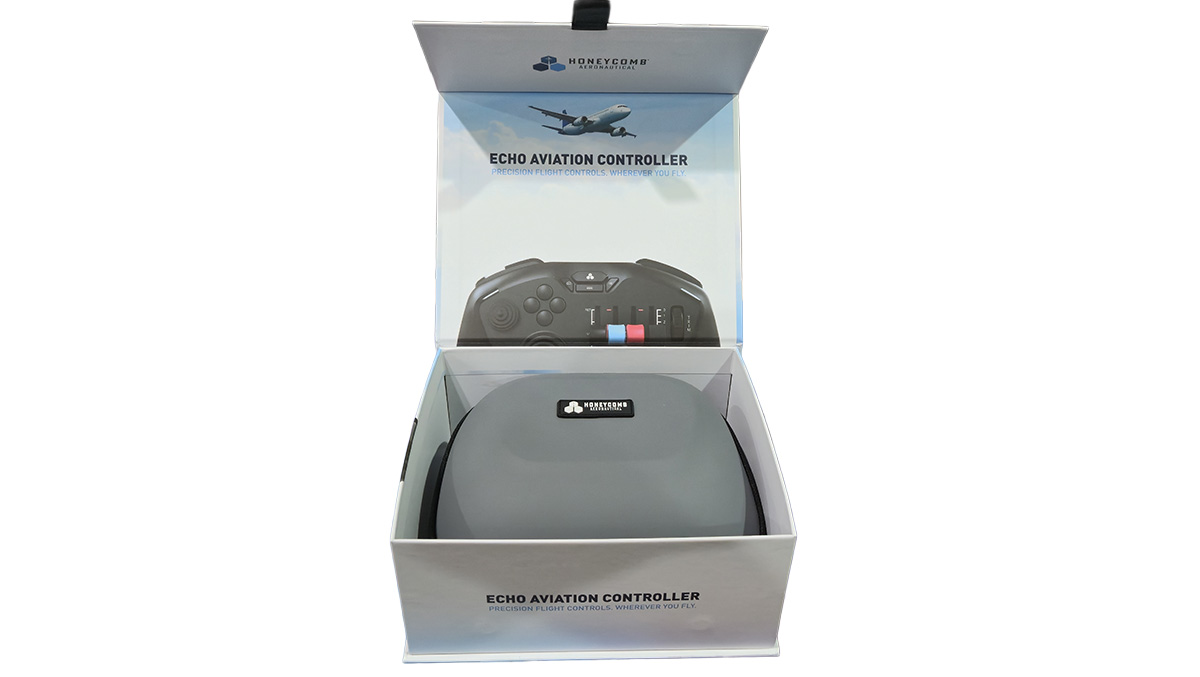
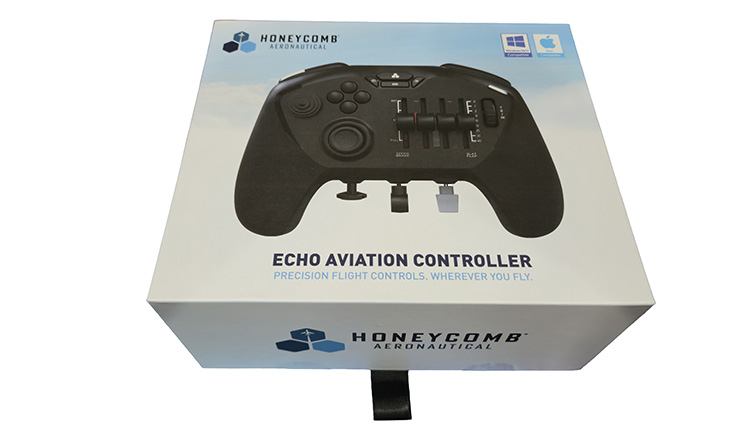
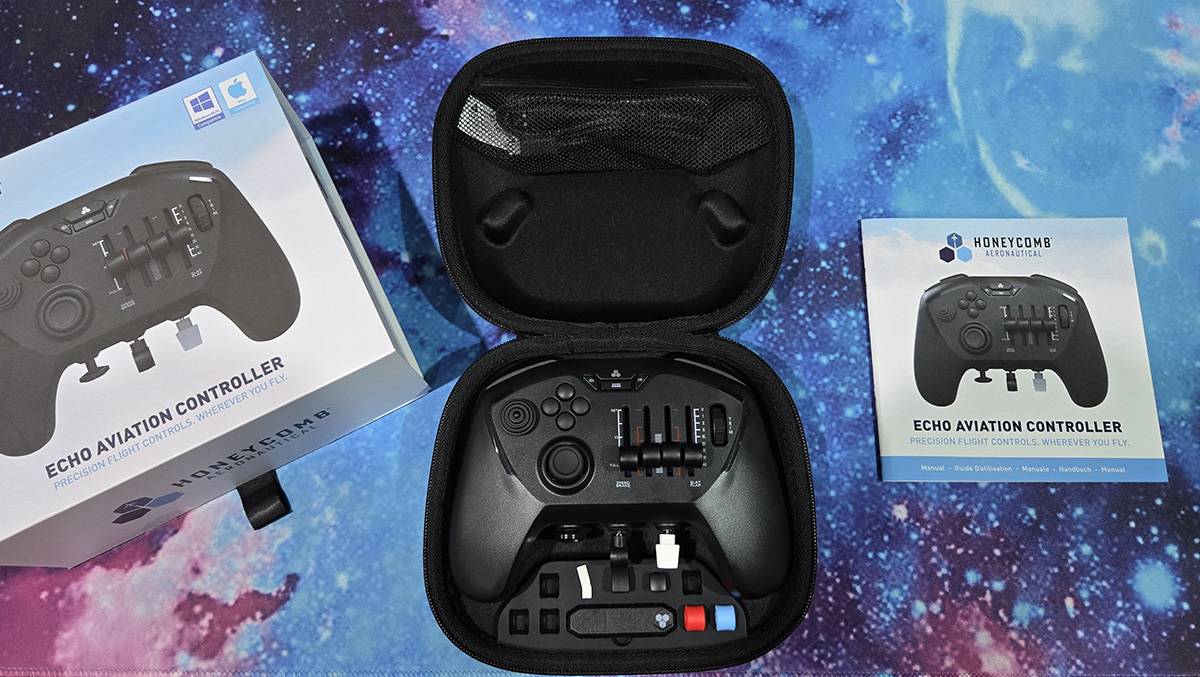
With the Echo Aviation Controller, Honeycomb has used its experience with flight sticks and controls to distil the essential components of an aircraft’s flight controls into the palms of your hands. In the box, you get the controller in a premium clamshell protective case, five interchangeable control lever caps, a USB Type-A wireless dongle, a USB Type-A charge cable and a glossy, but rather rudimentary, manual. Honeycomb has gone all out on the presentation – it’s an impressive package.
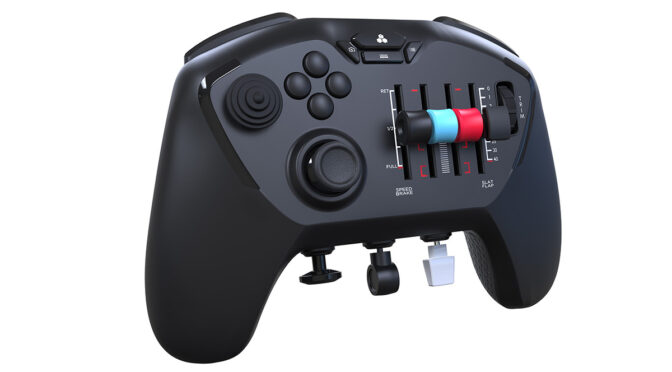
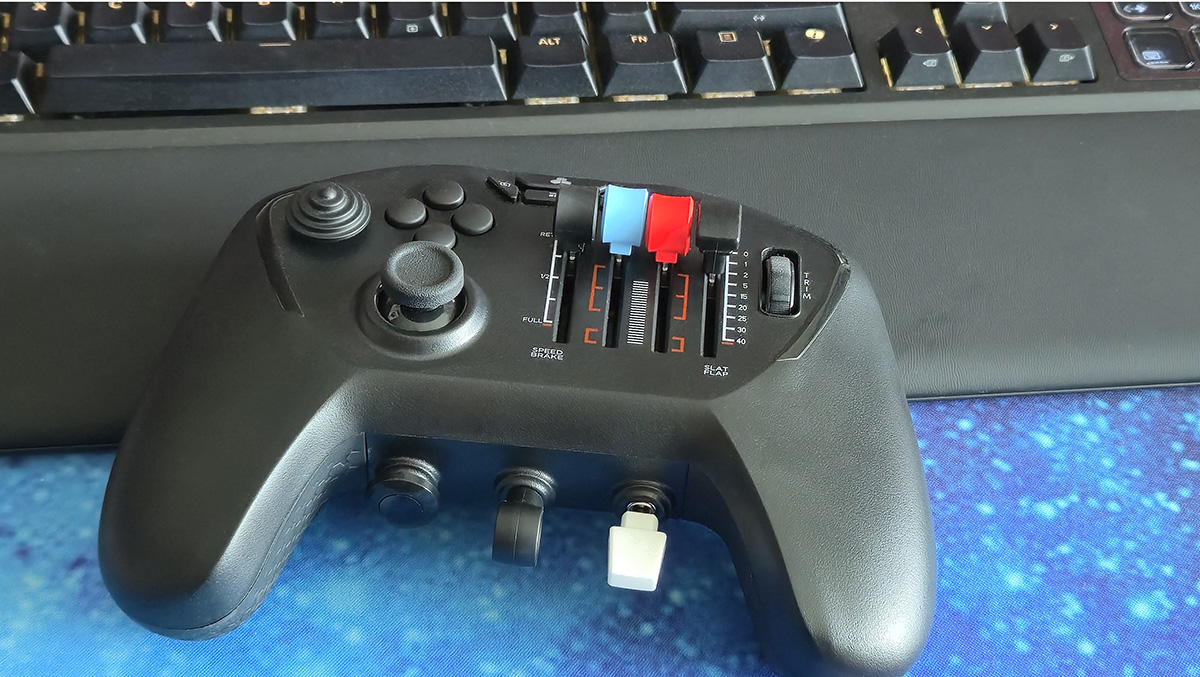
The Echo Aviation Controller itself is a strange-looking beast. It’s styled after Honeycomb’s standard range of flight simulation controls, but with the aviation controls mounted to the form factor of a regular controller, featuring distinctive extras that will be at once familiar to aviators.
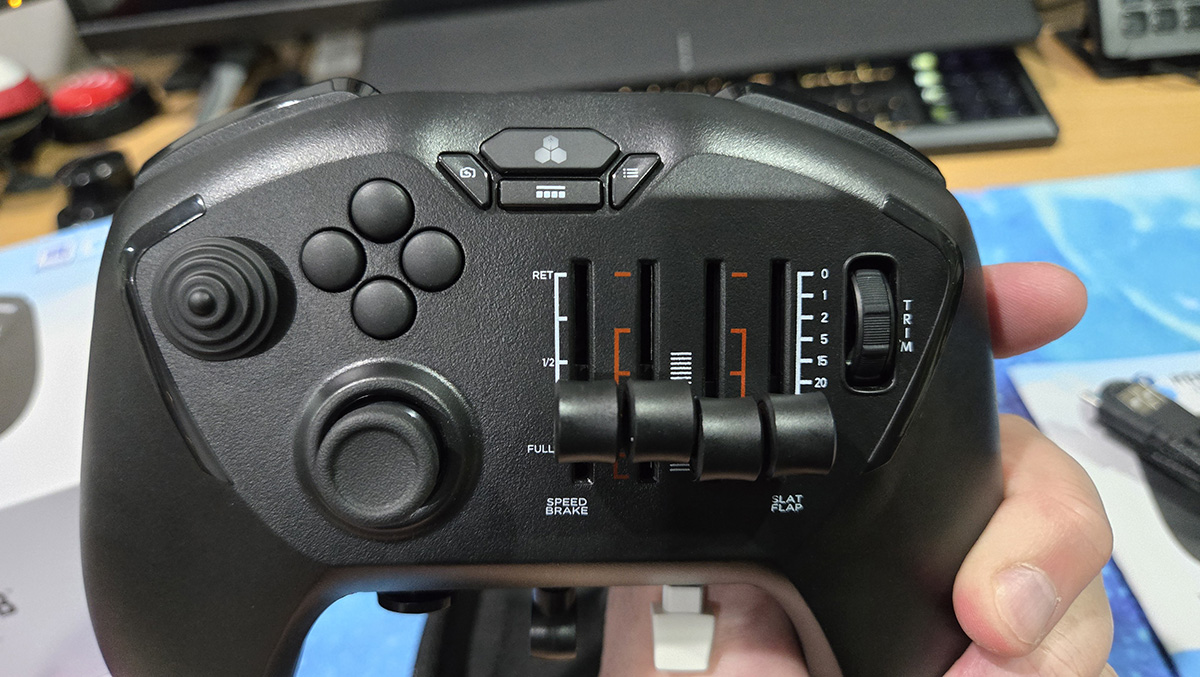
It has shoulder buttons and triggers, similar to a regular controller, as well as a D-pad and thumbstick on the left. There’s a button in the centre with a Honeycomb logo flanked by a camera button to the left, a checklist button to the right and a menu button below, similar to the supplementary buttons on an Xbox Controller. But then, things start to get peculiar.
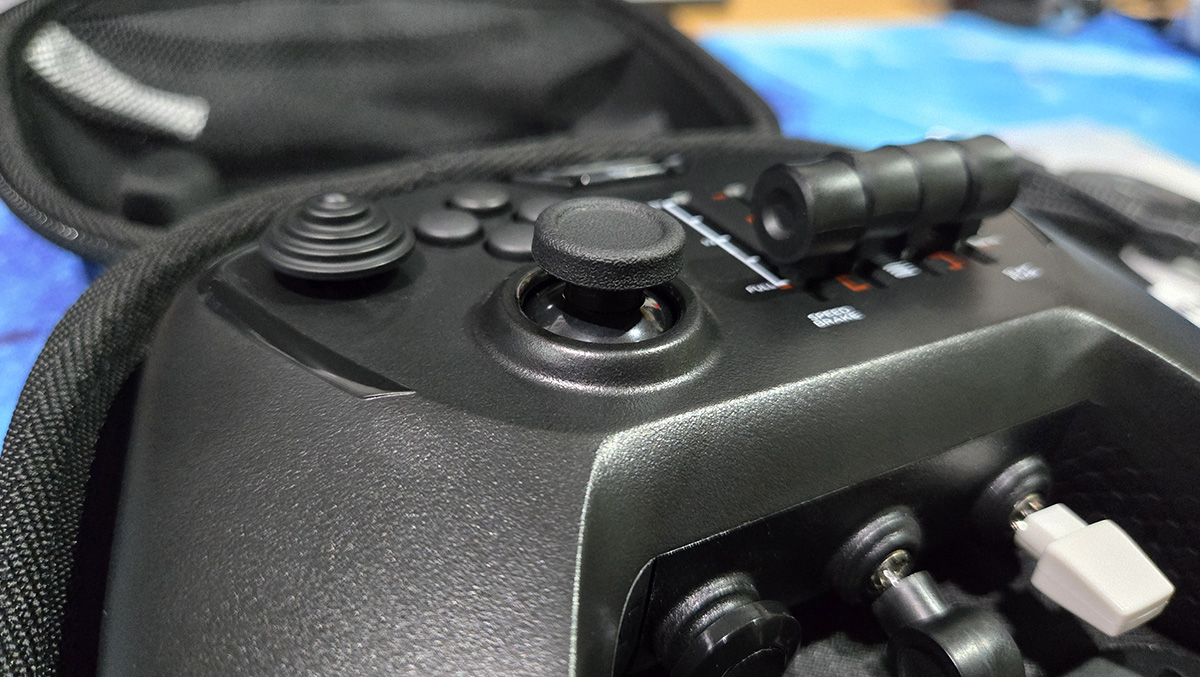
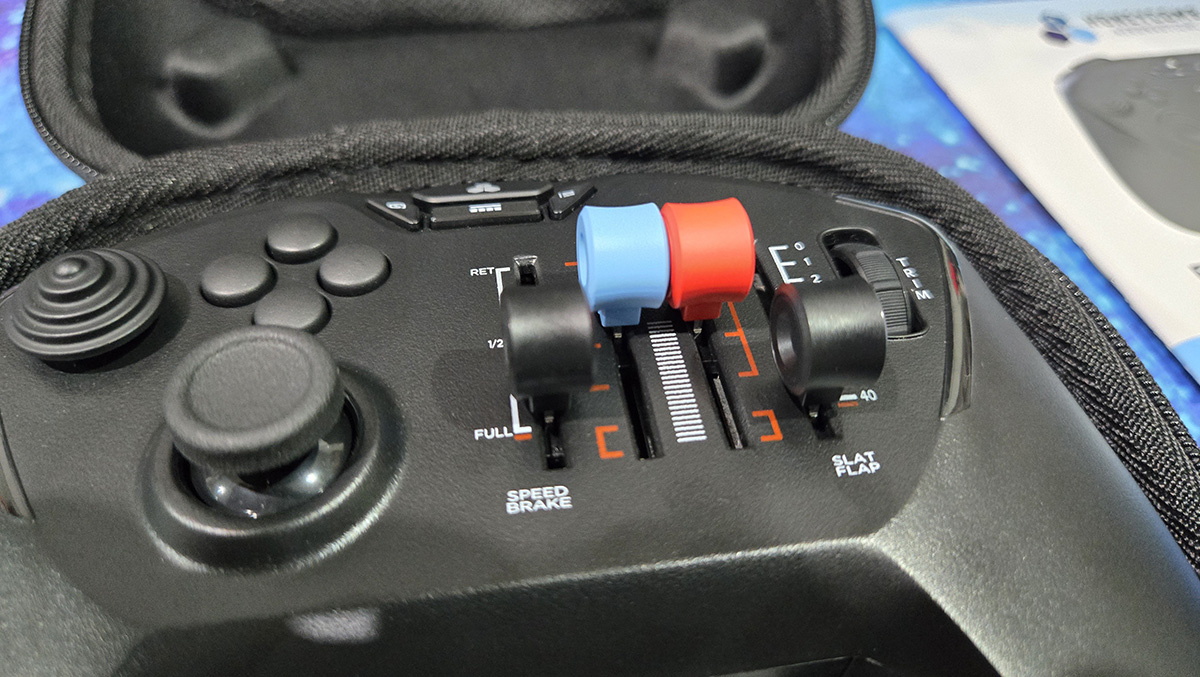
Next to the D-pad is a hat switch for camera views, etc. Where the right thumb stick should be, we have four analogue sliders, which can be used for throttle, prop speed, mixture and speed brake. The bottom of each slider has a clicking button function, for say reversing thrust, etc.
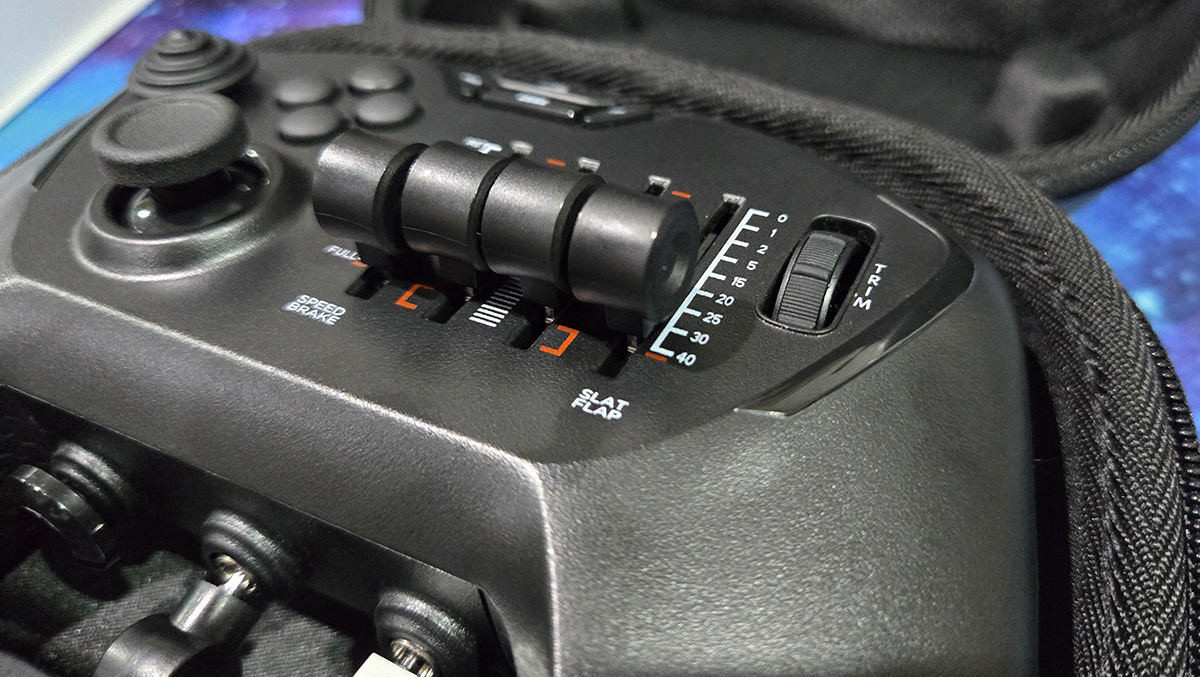
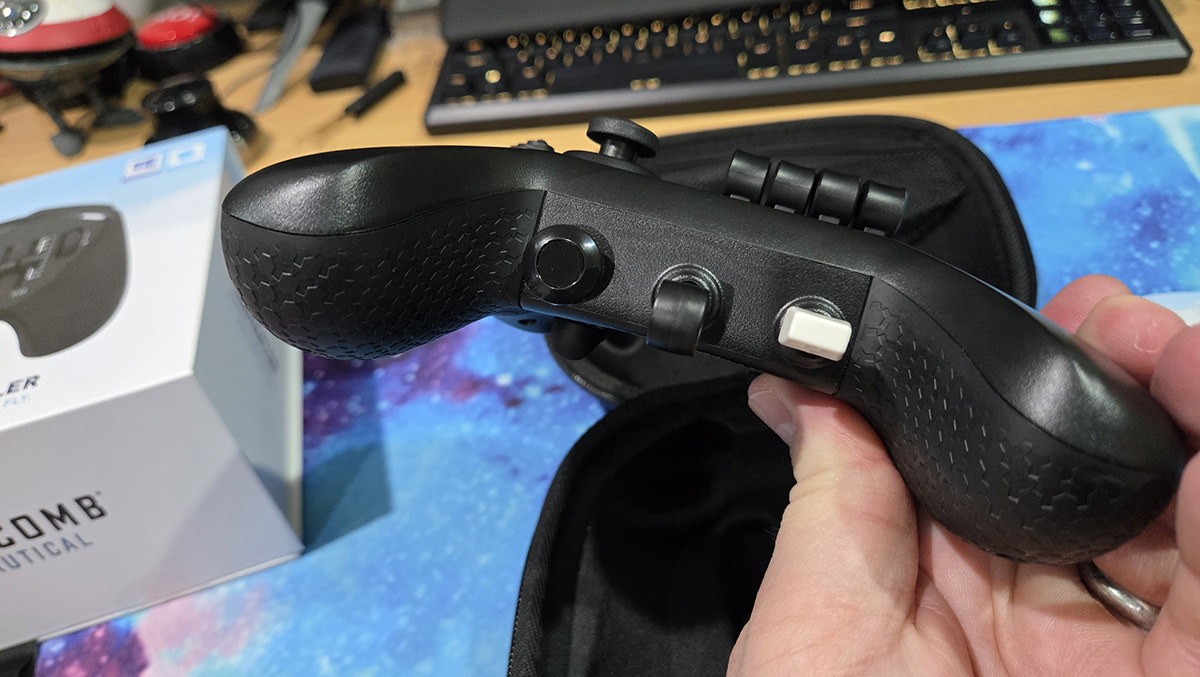
Further to the right, we have a trim wheel (which is really two continuously clickable buttons). At the bottom of the controller, we have a dedicated brake toggle, a landing gear switch and a flap control switch. My favourite control is on the underside – a Hall effect rudder control assembly that looks like two little rubberised pedals. It’s an authentic-looking flight deck in the palms of your hands.
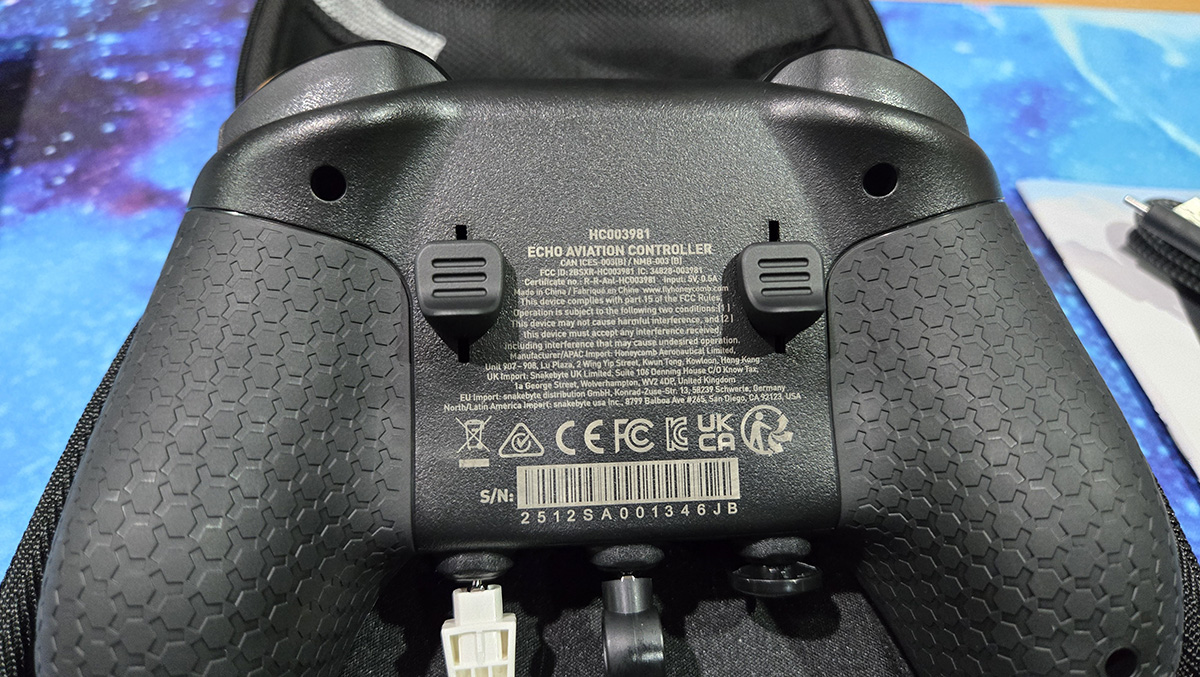
It’s so comfortable with the rubberised grips and decent weight giving the controller a premium feel in your hands. The sliders and buttons are spaced just right. The gear and flap levers are within easy reach of your thumb, but the brake is going to need you to move your hand off the grips.
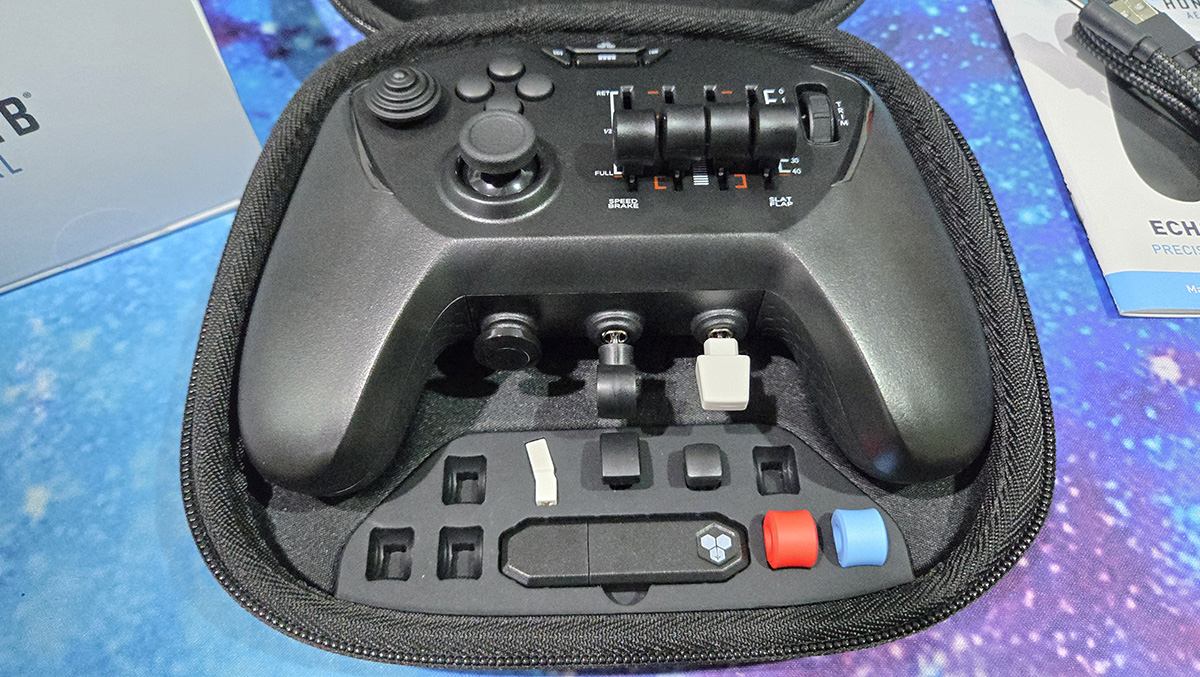
You can set up the controller levers in a standard configuration, general aviation with the blue prop and red mixture caps, Airbus with the joystick-style cap and Boeing with the white lever cap. All the buttons and controls can, of course, be customised in your flight simulator of choice.
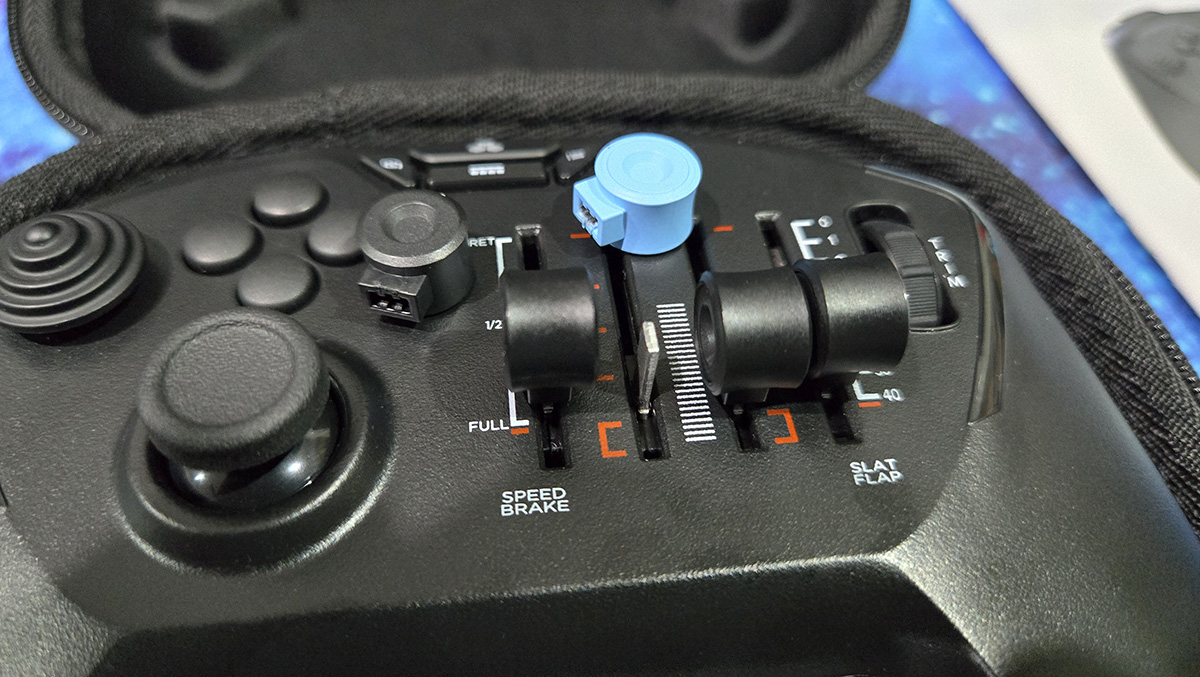
The hat switch position is a bit peculiar. I’ve been wracking my brains as to why the designers chose to place it on the left side and not the right, where it can be used in tandem with the yoke control of the left thumb stick. This means that you can’t easily turn the camera whilst manoeuvring the plane, say to look left as you turn onto final. Perhaps the need to aviate, using the yoke control and throttle, is more important than taking a look, but it would be nice to have the choice.
I tested the Echo controller with Microsoft Flight Simulator 2024. Whilst the controller was detected without issue via the wireless USB dongle, things got a bit more complex in the simulator.
Unlike the Xbox controller and my Saitek X52 Pro HOTAS controller. Flight simulator doesn’t natively configure the Echo Aviation Controller. There are profiles that you can download from the Honeycomb website, but they are somewhat unreliable and don’t include all the different types of aircraft. You’ll probably end up configuring and customising the controller buttons, sliders and thumbsticks yourself. Whilst inconvenient, it is not quite the chore you’d think it to be, as it allows you to set the controller up to your liking. For example, the hat switch issue can be solved by setting left/right view toggles to the triggers using a shoulder button as a modifier.
The lack of a decent manual or driver app makes setting up the controller harder than it needs to be. A few pointers would be helpful. There’s also no way to tell how much charge you’ve got left, and better profile support would be welcome.
But any niggles become insignificant when you start using the controller. As well as affording a better level of immersion into your aviation game, the precision control granted over that of a regular controller is a gamechanger. The precise throttle controls, easy access to flaps and landing gear, as well as a proper trim wheel and those amazing rudders, take a casual flight in Flight Simulator to another level.
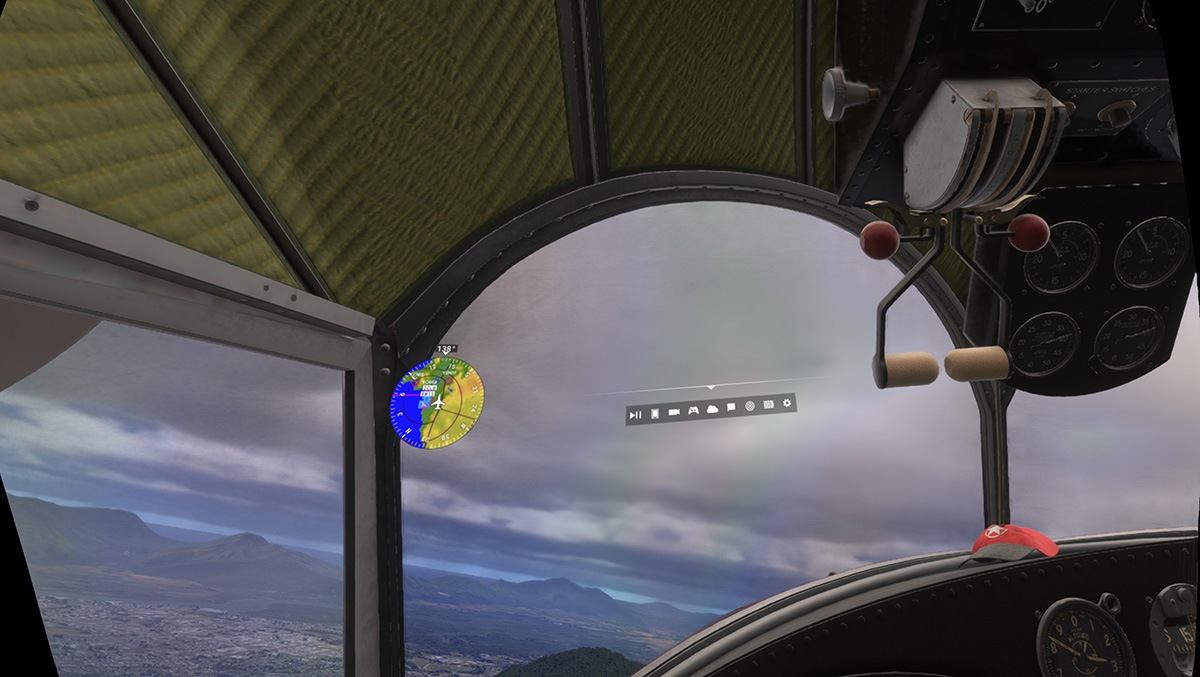
In virtual reality, though, the controller really comes into its own. Using a full flight sim yoke setup in VR is a lot of fun, but much of it is wasted, as you can’t see gauges, and you will spend a lot of time feeling out for controls in a manner that just destroys the immersion. The Echo Aviation Controller, in placing all the controls at your fingertips, removes the need to feel around for controls.
The precision afforded by the controller was particularly useful when flying a Huey helicopter. Delicate application of the rudder, collective and cyclic controls is needed to maintain control over the rotary aircraft. Similarly, a ridiculously severe crosswind landing into Cairns flying a Grumman Goose would have been impossible with an Xbox controller. The careful way I could throttle and rudder control with the Echo allowed me to gently ease the aircraft onto the tarmac against a vicious headwind that was turning the seaplane into a kite.
The Echo Aviation controller only works with a PC, although a console version is apparently in the works. The controller will be invaluable for playing Microsoft Flight Simulator on a console, as there are limited options when sitting on a couch, and a full flight yoke may not work.
The Honeycomb Echo Aviation Controller isn’t flawless, but its strengths easily outshine its quirks. Sure, the hat switch sits in an odd spot, and setup can take a little patience, yet once you’re flying the Echo’s precision, portability, and sheer fun factor make those issues feel trivial. It may be priced close to a full?sized yoke, but the convenience of having a dedicated flight controller that can live on your desk—or slip into your bag for simming on the go—is hard to beat. If you love flight simulators and want a deeper sense of immersion without committing to a full cockpit setup, the Echo Aviation Controller is absolutely worth a look.