
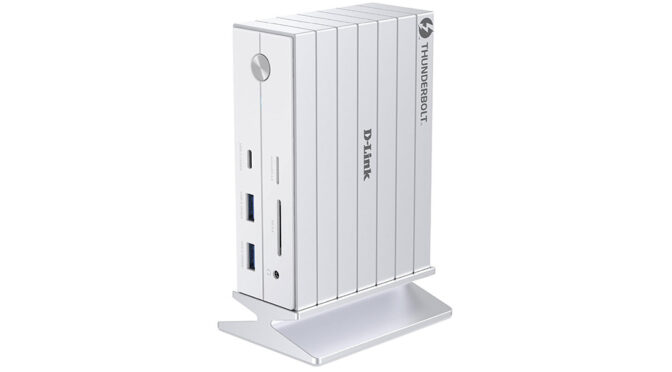
D-Link throws everything, including the kitchen sink, into its desktop hub, the 14-in-1 Thunderbolt 4 docking Station DUF-E01.
As most laptops are as thin as a sheet of paper, with next to no external connectivity aside from a Thunderbolt 4 port, you are limited as to what you can plug into them when you are at your desk. You may be lucky and have a USB Type-C dongle for your mouse or keyboard, and a USB Type-C/DisplayPort/Thunderbolt 4 cable from your monitor. But chances are you’ll need a hub.
D-Link’s 14-in-1 Thunderbolt 4 Docking Station is likely the last docking station you are ever going to need. It’s packed with features that’ll enable you to connect your devices to all manner of peripherals that you’d otherwise find a bit tricky.
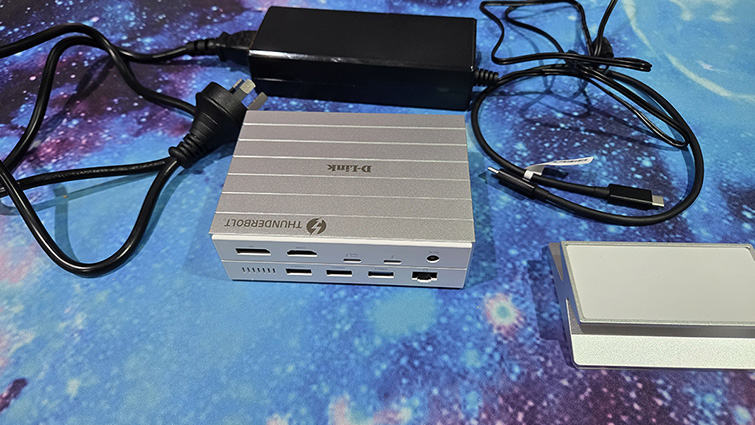
The package that arrived from D-Link was quite heavy. Most of the weight was the chunky power supply, the rest being the chunky magnetic stand. The docking station itself is fairly light. There’s also a 0.5m Thunderbolt 4 cable in the box, which is a bit short, but will likely do the job and certainly saves you from having to go out and buy one straight away.
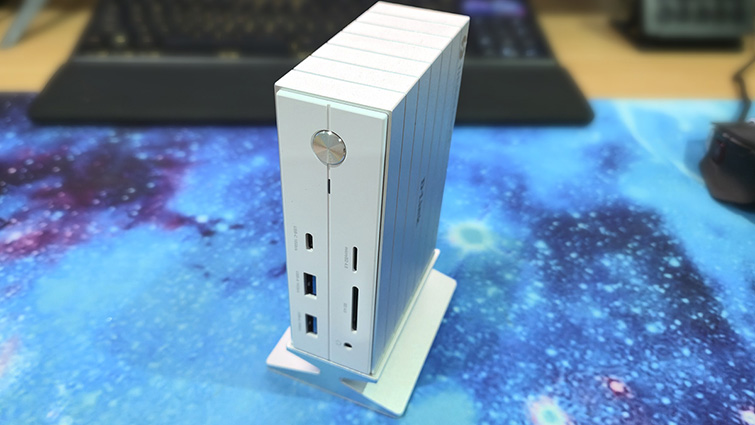
The aluminium docking station does have a bit of a retro, electronics project look about it. It could be by design, but likely more an example of function over form.
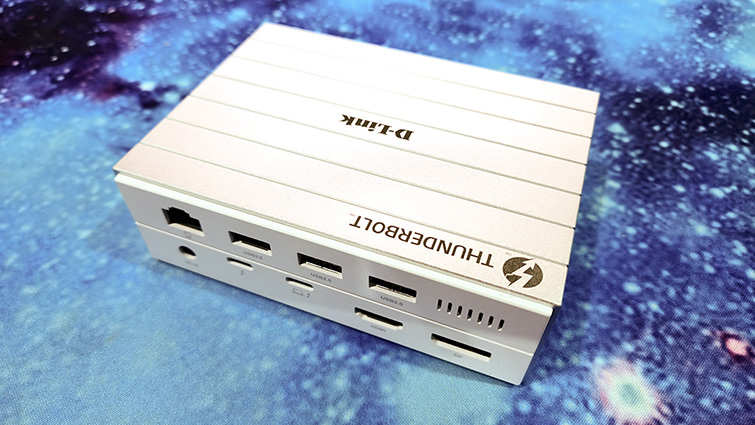
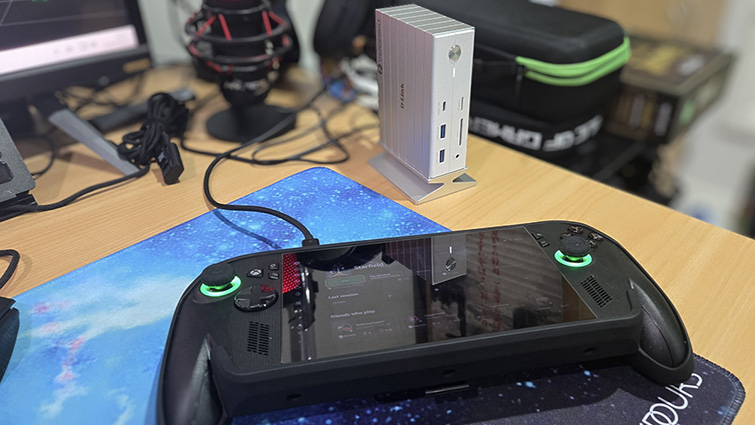
The device can rest horizontally on your desk, but you may need to get some adhesive feet to stop it from slipping about. Using the included vertical magnetic stand means it takes up less desk space and affords slightly better access to the back of the unit.
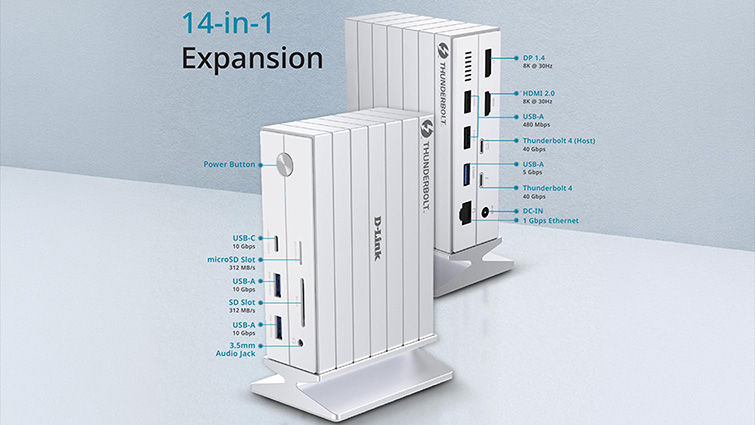
The docking station’s 14-in-1 name is derived from the various ports on the front and back of the unit. The hub has all the connectivity you are likely to need to expand your laptop and other portable devices at home or on the go.
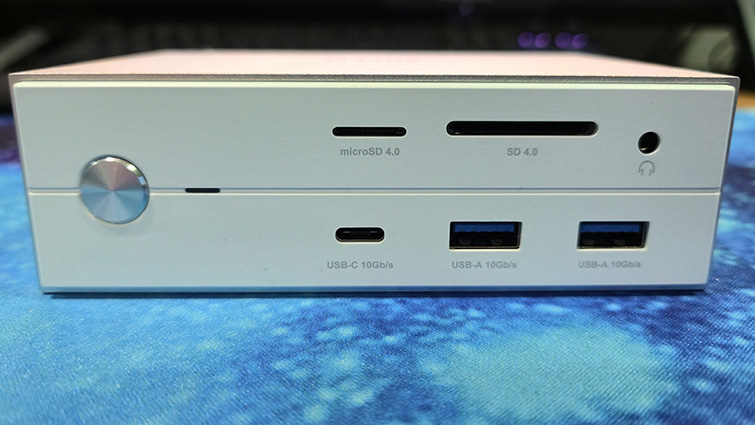
On the front is a large on/off button with an indicator light next to it. There’s also a USB Type-C 10Gb/s port, two USB Type-A 10GB/s ports, a microSD 4.0 card reader, an SD 4.0 card reader and a 3.5mm headset socket.
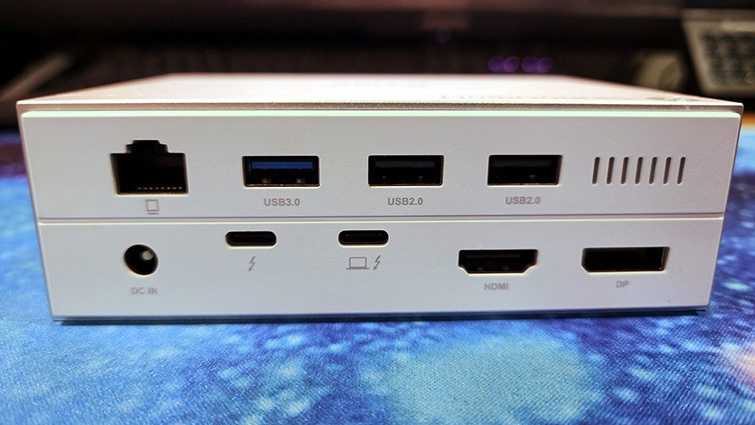
The rear panel includes an Ethernet (RJ?45) port, one USB Type?A 3.0 port, two USB Type?A 2.0 ports, and two Thunderbolt 4 ports (one of which serves as the upstream connection to your device). It also features a DisplayPort 2.0 and an HDMI 2.0. Using the Thunderbolt 4 port alongside the DisplayPort and HDMI connections, the docking station can drive up to three external displays at resolutions of up to 8K.
The SD Card readers come in handy, as I’m always transferring data from cameras, drones and Nintendo Switches. I don’t come across too many OG SD cards. With a microSD to SD card caddy, I can plug in two microSD cards and swap data between the two. The 16 GB/s USB ports are also handy for external solid-state drive data storage.
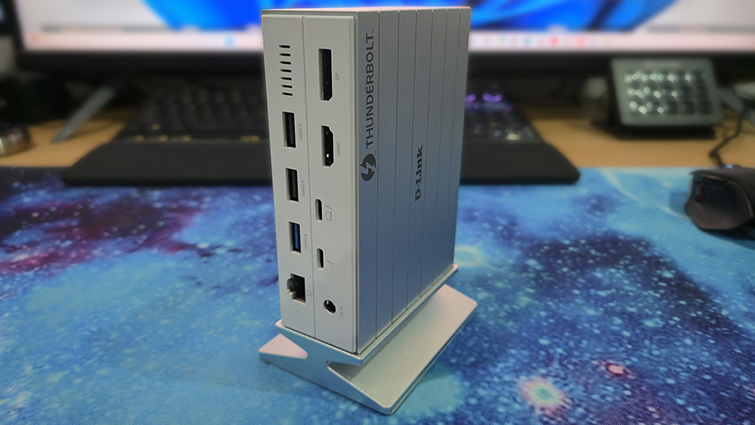
The D-Link hub is a nice tidy unit that you can have set up on your desk with your keyboard, mouse, monitor and even Ethernet cable all connected, ready for you to just plug in your laptop and carry on.
The importance of the included power supply shouldn’t be overlooked. Most cheap hubs that you’ll find on eBay or Amazon won’t come with a power supply; instead expecting users to power the hub via the USB Type-C power supply that came with their device. This may be OK, but it will result in a reduced power output, which will affect performance.
I have a cheap hub for my ROG Xbox Ally that works a treat, but I can’t output the wattage required for the device to run at full speed. D-Link’s docking station with its own external 135W power supply was more than man enough to power the Xbox Ally X and a range of peripherals, turning the portable games machine into a de facto desktop PC. The external power supply is especially important if you are on the go and using a device-powered monitor like the Espresso 15 Lite.
At AUD$599.99, the D-Link 14-in-1 Thunderbolt 4 Docking Station DUF-E01 isn’t cheap, though there are better deals out there if you look. It is, however, the missing link that’ll turn your laptop and/or other portable devices into desktop powerhouses with all the connectivity and more of a high-end desktop PC. I found the DUF-E01 an essential bit of kit and one that, if you are in the market for a hub, you’ll likely be using for years to come.