
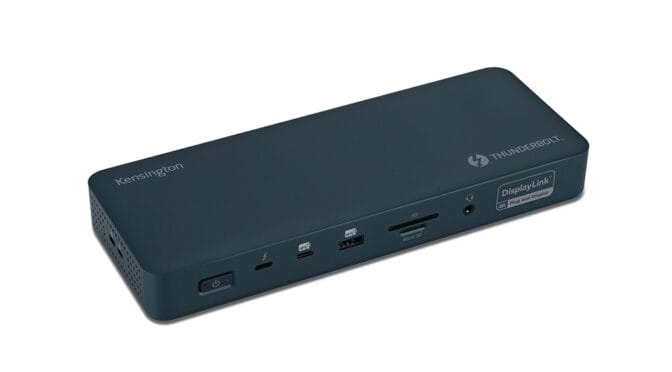
The Kensington SD5900T dock is the missing link that can turn your laptop into a desktop input/output powerhouse.
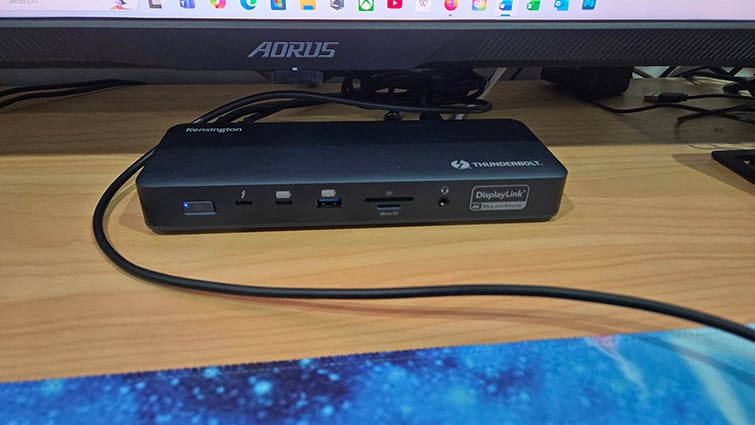
The stylish metallic dark blue dock sits flat, sliding nicely under your monitor. There’s also an optional mounting bracket that is sold separately.
The dock comes with a 149W power supply unit with up to 100W for charging and powering your devices. This rather large PSU means that the dock isn’t really portable and is best set up as a permanent desktop hub rather than something that you can easily take with you.
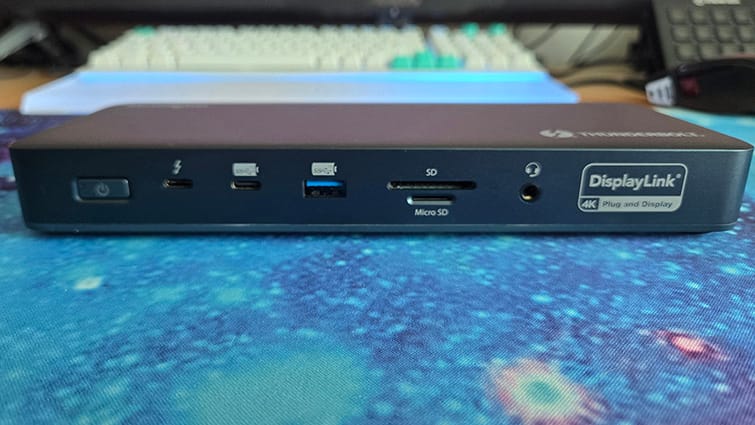
The amount of connectivity afforded by the SD8900T is breathtaking. On the front is a Thunderbolt 4 downstream port (for data, video and audio), a USB Type-C 3.2 Gen2 10Gbps port, a USB Type-A 3.2 Gen2 10Gbps port, an SD Card reader, a microSD card reader and a 3.5mm audio jack. The rear also has a Thunderbolt host port (for plugging in your device), another Thunderbolt 4 downstream port, two USB Type-A 3.2 Gen1 5Gbps ports, a 2.5Gbps Ethernet port, a DisplayPort socket, and two shared HDMI/DP sockets. And, of course, it has a Kensington lock security feature.
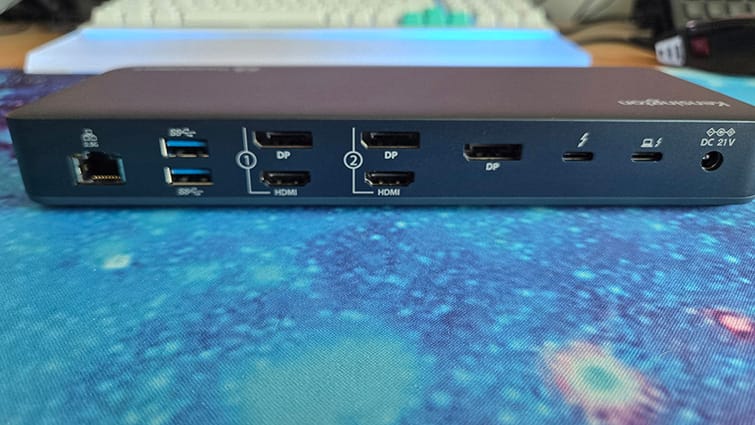
The dock has every connection that you’ll need. It’ll boost laptops, handheld PC’s and even mobile phones into fully-featured desktop setups.
For testing, as well as my trusty ROG Strix G16 laptop, I also used an Asus ROG Xbox Ally X handheld gaming PC with the dock. The ROG Ally is effectively a small AMD Ryzen-based Windows PC, as capable as many laptops.
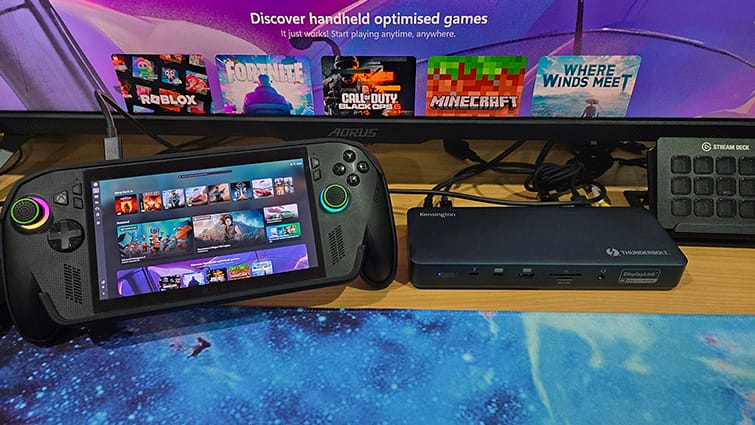
I tried the dock with both the extra DisplayPort and HDMI ports of my desktop PC monitor. Switching between my desktop PC and the dock-connected device was a breeze, just using my monitor controls. Switching between the Ally handheld and the laptop just required pulling the hub USB Type-C/Lightning cable out of one device and plugging it into another. The keyboard and mouse, being connected directly to the dock, worked with whatever device was using it. The Ethernet cable, connected to the back of the dock, enabled a wired connection to the devices.
The connected monitor worked like any other PC multi-monitor setup; pressing the Windows and P keys allowed screen duplication, extension or replacement. For the ROG Ally, which has no auxiliary HDMI or DisplayPort output, I was easily able to replace the portable PC’s capable but limited HD screen with my 4K HDR monitor display.
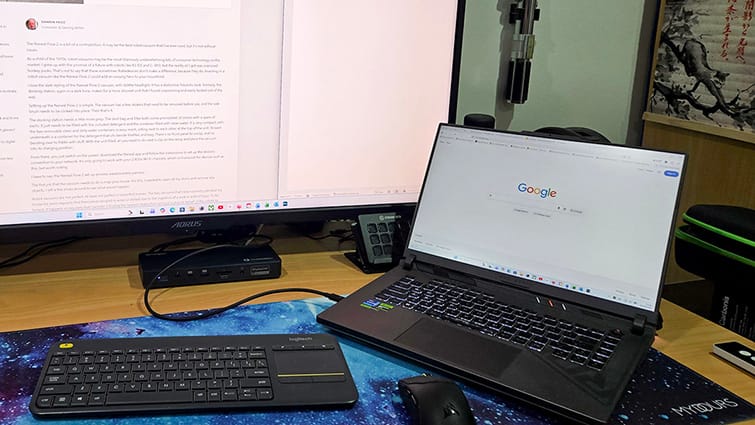
The ROG Ally is a bit juicy, packaged with a 65W power supply unit. The SD5900T dock’s 100W output allowed the Ally to perform in turbo mode, powered directly from the single cable that also provided connectivity to the monitor, keyboard, mouse and Ethernet.
It was great to be able to simply connect my portable devices to my large monitor. The dock enabled me to continue to work with detailed CAD and Photoshop drawings that I’d been working on all day, out of the office, in the comparative luxury of a 4K screen. Using built-in DisplayLink technology, the dock can bypass normal GPU limitations allow support for multiple displays. The dock can use this output to drive up to four 4K monitors, giving connected portable devices high-end desktop GPU-level display options.
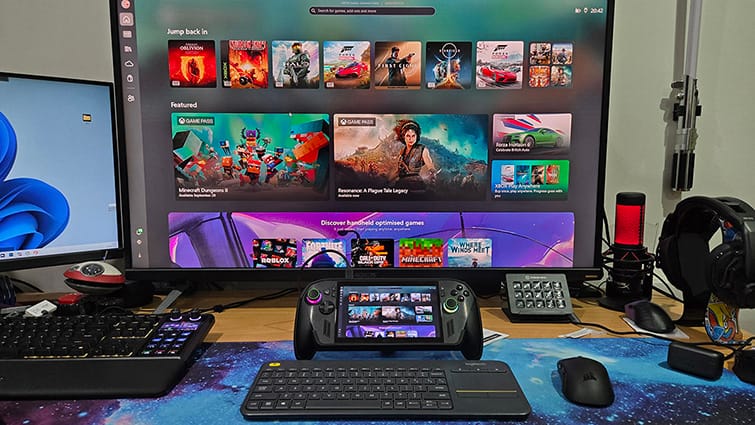
Similarly, with the ROG Xbox Ally X, I could transform a handheld gaming PC into a fully functional desktop PC, with all the connectivity otherwise missing from the device. This was particularly handy when configuring the Ally, the keyboard, mouse and large screen, making things a lot easier when navigating Windows menus and options.
The MicroSD reader made it easy to transfer data between the MicroSD card in the ROG Ally to another in the dock. It was also a great way to upload data from my drone’s microSD card to my OneDrive.
Plugging my Samsung Galaxy Z Fold 6 into the SD5900T turned my phone into an Android desktop PC. If you’ve ever plugged your phone into a monitor, you will likely have already experienced this. When a modern Samsung phone is connected to an external display, the Samsung DeX desktop is activated by default, giving you an advanced ChromeOS PC-like experience with keyboard and mouse support that most people will find as good as a laptop.
As well as Windows, the dock supports ChromeOS, and it’s optimised for MacBook models with M1, M2, M3, and M4 chipsets running macOS11. MacBook models with M1/M2/M3/M4 Pro or Max chipsets, and M4/M5 Base chipsets can also take advantage of the quad 4K video output via the HDMI, DisplayPort, and Thunderbolt ports.
The Kensington SD5900T EQ Thunderbolt 4 Quad 4K Hybrid Dock is one of the most versatile hubs I’ve used. It has everything. The 4K quad-display feature will come in very useful for pros needing multiple high-res display outputs. The 149W power supply confirms that Kensington means business, with a whopping 100W of passthrough power output for your devices. With its comprehensive features and stylish but discreet design, it’ll not only serve you well, but also look great on your desktop.