
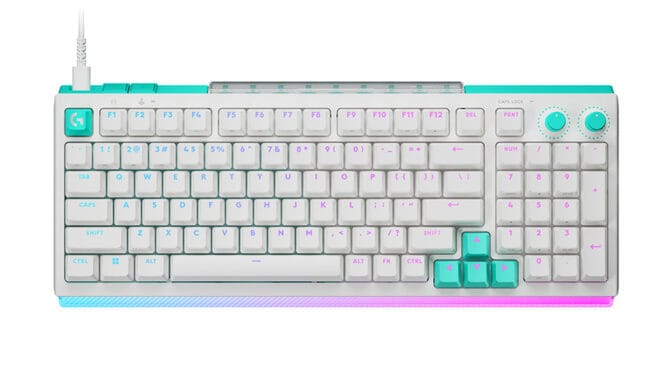
The Logitech G512 X is a 98%-sized mechanical wired keyboard with interchangeable TMR analogue switches. We were sent the white version of the G512 X keyboard and the G512 X Palm Rest 98 to try out.
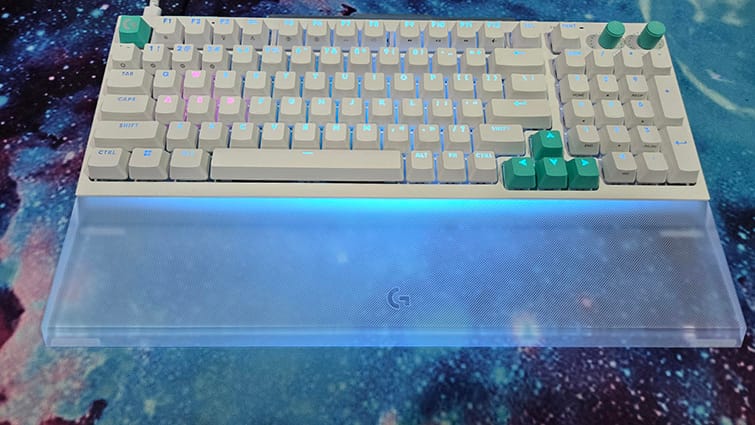
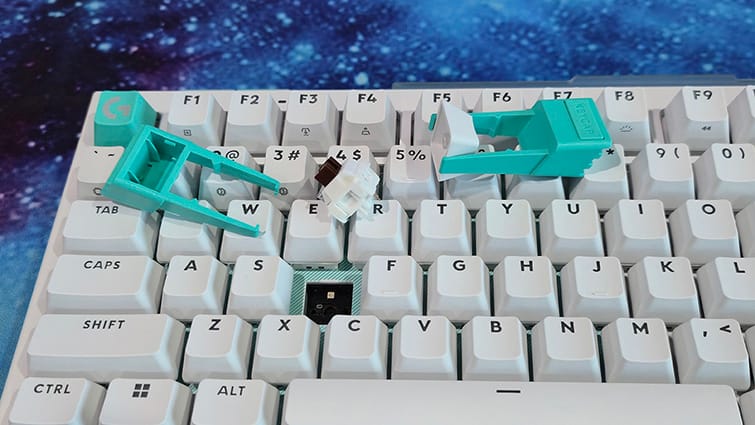
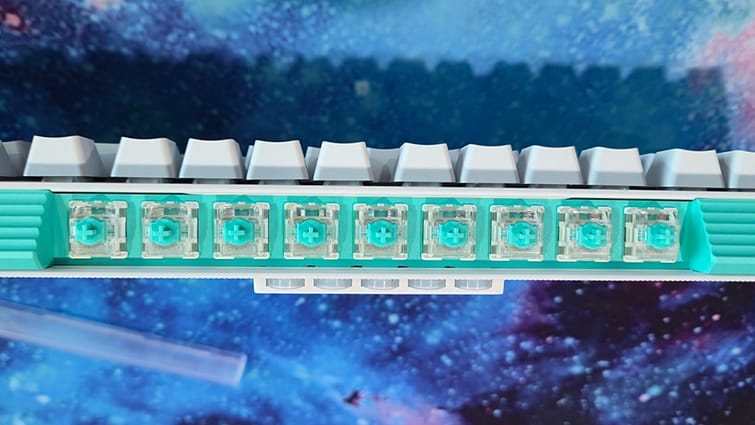
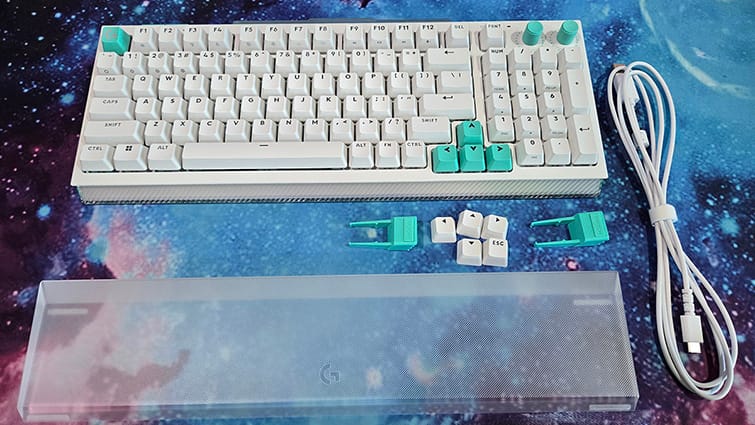
The keyboard comes with a USB Type-C to Type-A cable, replacement arrow and escape keys, and two pullers: one for the key caps and another for the switches. Both of the pullers ingeniously double as feet for the keyboards, raising the back just enough to give it a comfortable angle. Tucked away in a covered compartment at the back of the keyboard and nine analogue switches, beneath which are five SAPP (second actuation pressure point) O-rings.
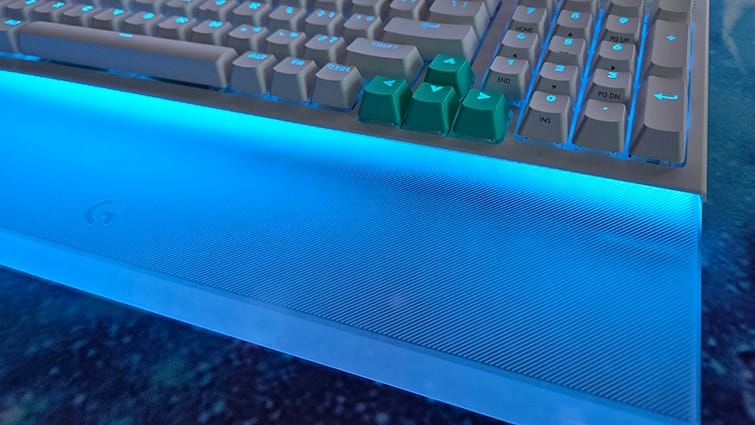
The G512 X Palm Rest is a laser-etched translucent acrylic bar that fits snugly against the G512 X Keyboard. It’s solid but still comfy, with a fancy hatched pattern and the Logitech logo in the centre.
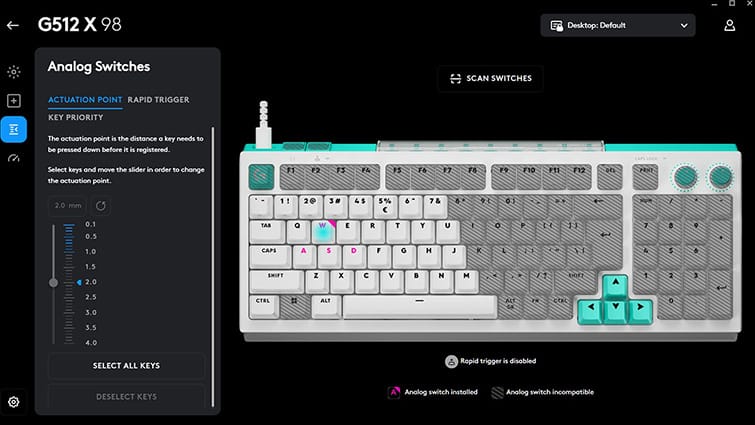
Around half of the keyboard’s main layout, consisting of 39 keys on the left side, can be fitted with one of the nine included TMR (Tunnel Magnetoresistance) analogue switches. These switches provide true analogue input, making them ideal for functions such as throttle, braking, or other actions that benefit from smooth, variable control rather than a simple on/off key press.
Swapping keycaps and switches is straightforward using the included puller tools. After installing a new analogue switch, you need to press the scan button located on the left side of the keyboard, next to the USB port, to register the change. A brief animation follows, during which the analogue switches illuminate, before the keyboard returns to your selected lighting profile.
The analogue switches can be paired with SAPP O-rings, which fit beneath the keycaps and enables a second actuation point via the Logitech G Hub app. This allows a single key to perform two actions depending on how far it is pressed. For example, a light press up to the O-ring’s resistance could trigger a walk command, while pressing through to the bottom could activate a run.
In practice, however, the implementation feels less convincing than it sounds. Rather than providing two clearly defined actuation points, the keypress feels more like a standard press followed by a softer, somewhat squishy second stage.
All keys support an 8,000Hz polling rate, ensuring keystrokes are registered with near-instant responsiveness and helping to minimise input latency during gameplay. A dedicated Game Mode button is also included, which disables the Windows key by default to prevent accidental interruptions. Through the Logitech G Hub, however, this feature can be customised to disable any key of your choosing.
The two dials positioned in the top-right corner of the keyboard control RGB brightness and system volume out of the box. As with many of the keyboard’s features, both dials can be reassigned in the Logitech G Hub, allowing them to be tailored to your preferred functions.
Available as a free download from Logitech’s website, the Logitech G Hub app serves as a centralised application for managing, customising and updating Logitech devices. Firmware updates can be downloaded and installed directly through the software, while a wide range of lighting effects and animations is available to personalise the keyboard’s appearance. Users can also customise illumination on a per-key basis and adjust the lighting integrated into the palm rest, enabling highly detailed RGB configurations.
Beyond its practical features, the G512 X is an eye-catching keyboard, particularly in the white finish paired with soft pastel RGB lighting. Its aesthetic appeal is further enhanced by the optional G512 X Palm Rest, whose integrated lighting creates a more cohesive, premium-looking setup. It’s a shame, then, that the palm rest is sold separately rather than included in the box.
I’m pretty sure it’s unusual to let out an audible gasp when you plug in a keyboard for the first time. But that’s precisely what I did when I first switched on the Logitech G512 X. It could have been the brilliant white finish, punctuated by the mint-coloured Escape and arrow keys. Perhaps it was the pastel blue lighting. It may even have been the way the light bar along the bottom edge illuminated the matching palm rest. Whatever the reason, the G512 X is a sight to behold in white.
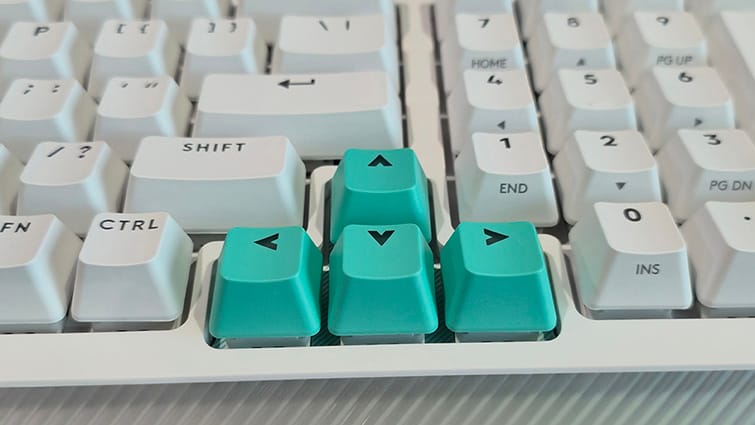
Rather than relying on the garish RGB effects often associated with gaming keyboards, the white G512 X favours subtle pastel hues that give it a distinctive and surprisingly elegant appearance. Of course, full RGB lighting is available if that’s your preference, but, for me, it’s the softer lighting options that really allow the keyboard’s design to shine.
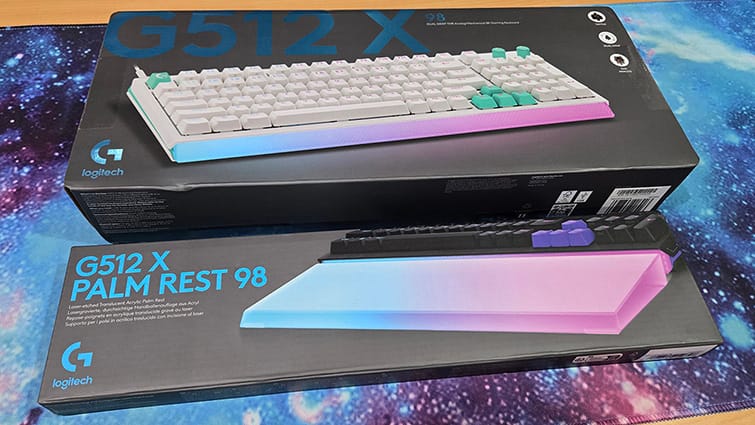
A gaming device, through and through, the white version of the Logitech G512 X keyboard, complemented by the translucent and captivatingly lit palm rest, will elevate your setup beyond the average gaming desktop. A beautiful design along with expert functionality makes this a great contender.