
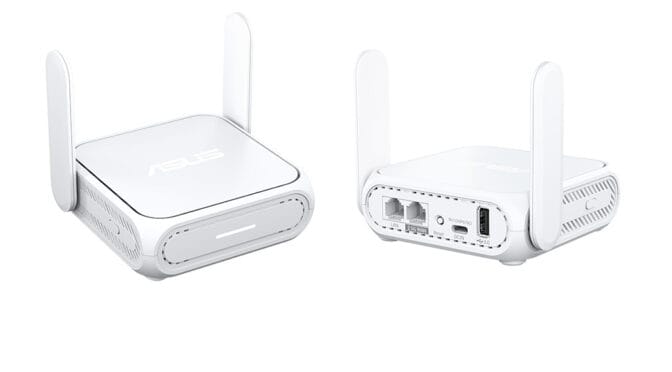
The Asus RT-BE58 Go is a portable router that you can hold in the palm of your hand. It’s designed to provide internet and network connectivity on the go, but also works at home.
Despite its compact form factor, the RT-BE58 Go is a fully featured Asus Wi-Fi 7 router. Inside the box, you’ll find the router itself with two foldable antennas, an Ethernet cable, and a USB?C power adapter with interchangeable international plugs. A sticker on the device lists the default Wi-Fi credentials and local admin login details. There’s no printed manual included; instead, setup is handled via a QR code and the Asus Router app.
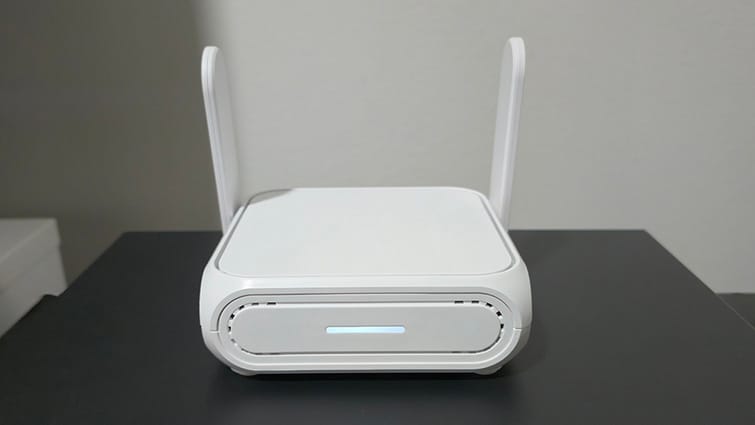
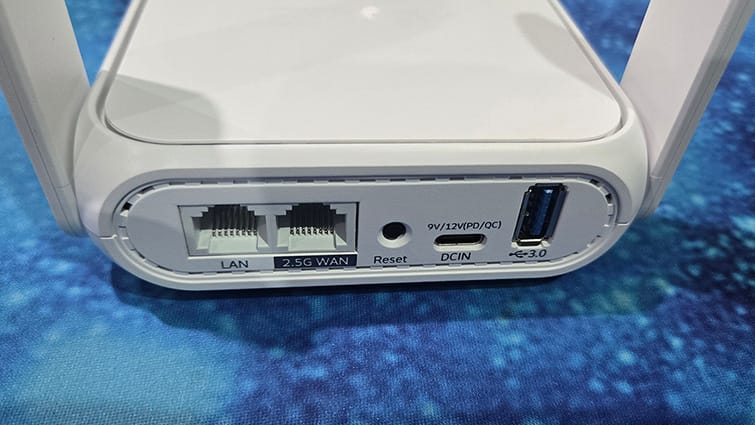
The palm-sized router has a clean, understated design that still looks stylish. A status LED sits on the front, while a sliding switch on the side lets you toggle between two saved profiles, one for home use and another for travel. Around the back are two RJ45 ports, a LAN port for connecting devices and a 2.5GbE WAN port for linking to a modem. You’ll also find a USB-A 3.0 port and a USB-C DC-in socket for power.
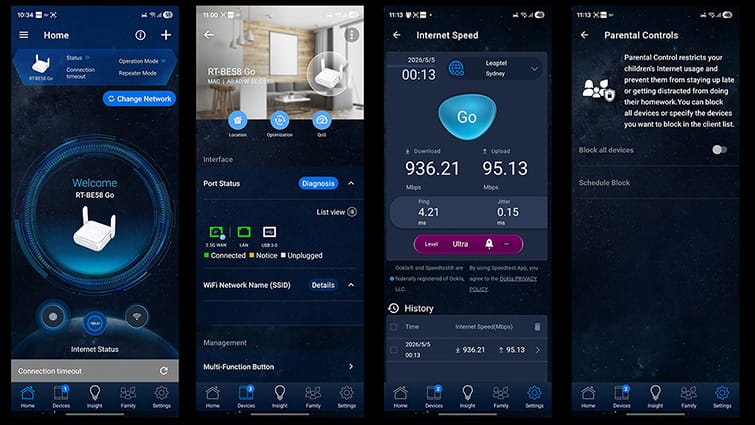
Setting the router up was a breeze. I already had the Asus Router app installed for my primary Asus router, an RT-AXE7800-C300, which has been providing reliable internet performance for several years. For anyone who doesn’t already have the app, it’s available free from both the Google Play Store and Apple App Store. While it’s also possible to configure the router without the app using the web-based interface on a PC connected via Ethernet, the Asus Router app makes the process far simpler.
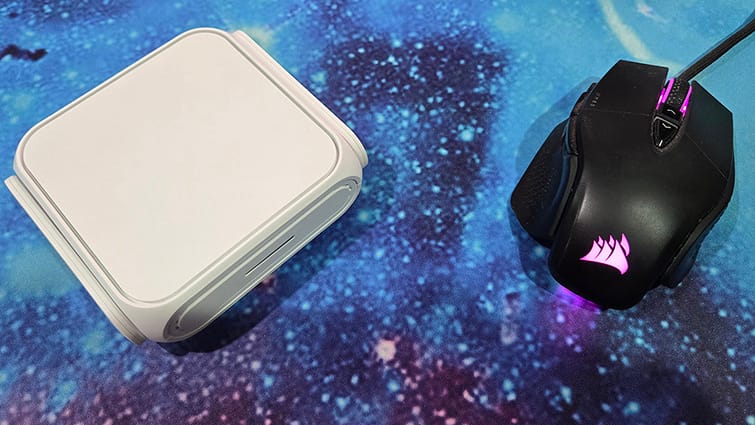
Following the prompts on the app, my first test was to set up the device as a wireless repeater. This mode uses the Wi-Fi from an existing internet?connected router to create an additional broadcast point, extending coverage to areas with weak or no signal. One such dead spot is at the far end of my house, so I was keen to improve the Wi-Fi for my kids. Within minutes, a new wireless network was up and running, delivering a noticeably stronger signal.
The router supports several additional operating modes. It can be connected directly to a modem or another router via Ethernet or linked wirelessly to an existing router over Wi-Fi. There’s also support for USB tethering to a 4G or 5G mobile phone, allowing you to create a Wi-Fi network on the go. If you already have an AiMesh?compatible Asus router, the RT?BE58 Go can be added to extend your existing network, with devices automatically switching to the strongest available node. Other options include a media bridge mode for connecting a device via Ethernet to improve streaming performance, although this is limited by the presence of just one RJ45 port, as well as a standard access point mode.
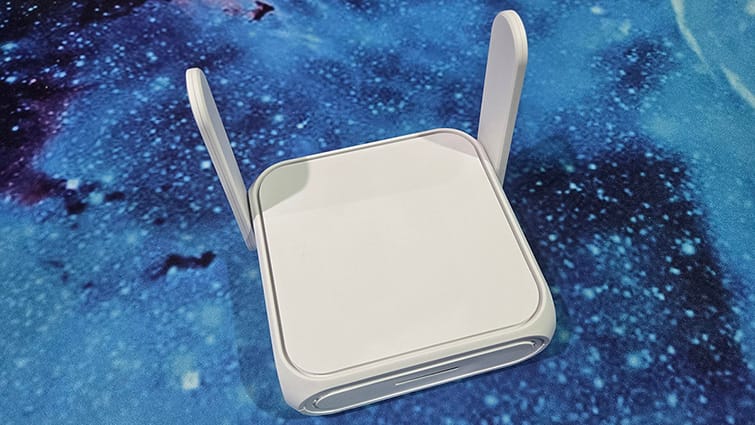
Very close to the Wi-Fi black spot, I have a wired connection running from my main router on the opposite side of the house. Using the wireless router mode over Ethernet, I was able to create a new high-speed wired Wi-Fi access point, directly connected to, but far from, the primary router. For this test, rather than using the Asus Router app, I connected directly to the RT?BE58 Go using a laptop.
This is where things became genuinely impressive. The device uses Asus’s standard user interface, giving it the same functionality as a full-sized Asus router. The result was a rock-solid Wi-Fi connection delivering the full speed of my broadband plan to the former Wi-Fi black spot, getting around the issue of solid walls and the distance from the main router.
Another particularly handy use was tethering the router to my phone to create a fast, robust Wi-Fi network for demonstrating a Meta Quest VR system streaming from a gaming laptop. I needed both internet access and a strong, stable wireless connection, and it delivered on both fronts. Being able to do all of this with a router small enough to fit in my pocket was an added bonus.
While the RT-BE58 Go performs admirably as a home router, it’s clearly designed with portability in mind. That makes its full-sized router capabilities squeezed into such a compact chassis all the more impressive.
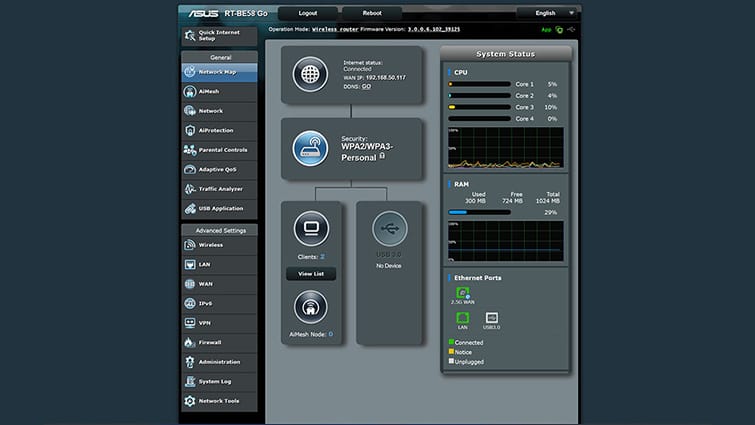
Like Asus’s larger routers, the RT?BE58 Go supports a wide range of VPN services and protocols, including OpenVPN, IPSec, WireGuard and PPTP. Parental controls are also available, allowing either a blanket block across all devices or scheduled access on a per-device basis. Power users will appreciate that port forwarding settings are accessible through both the Asus Router app and the web-based interface.
When travelling, this means you can connect the router to a hotel’s Wi-Fi or wired internet service and instantly create your own local wired or wireless network. That network can be fully secured behind a firewall and VPN, delivering the same level of privacy, consistency and control you’d expect at home or in the office.
The RT?BE58 Go feels like a full-sized Asus router packed into a genuinely portable design. While it performs extremely well in a home environment, its real strength is its versatility on the go, delivering the same functionality you’d normally expect from a much larger device. Whether it’s extending a home network, securing a hotel connection or creating a reliable mobile setup, this compact router proves itself to be a powerful, flexible router that comfortably punches above its weight.