
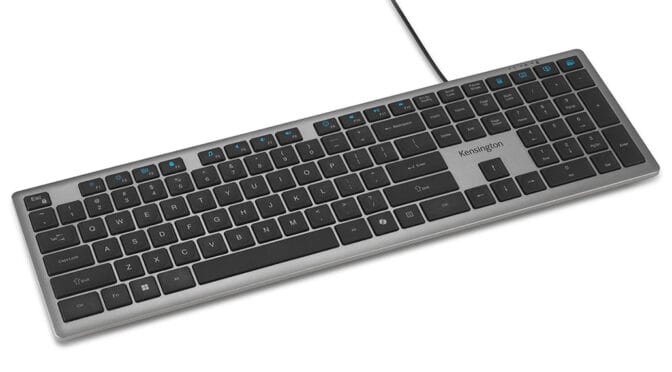
Kensington supplied a complete desktop setup for review, including the KB515 EQ keyboard, MY435 EQ mouse, and Duo Gel wrist rests for both the keyboard and mouse. I began by taking a closer look at the KB515 EQ keyboard.
The KB515 EQ is a wired keyboard with both a USB Type-A and Type-C connector, so it will work across most devices. The generous 1.5m cable gives your desktop layout some flexibility.
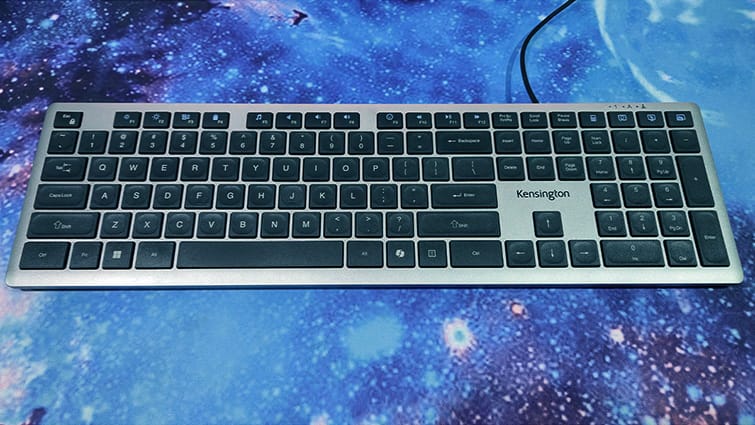
The black chiclet keys contrast against the silver chassis, giving the keyboard a clean professional appearance. The chassis is manufactured from 43% post-consumer recycled material, for a bit of sustainability kudos, but it still feels very robust.
It’s a full-length keyboard with a number pad, but slightly narrower and slimmer than other keyboards. It’s slim enough to slip under my monitor, out of the way, but still spread across my desk. Saying that, though, the keyboard is still light enough to slip in your bag.
Marketed more towards business users, it’s a professional-looking keyboard that has no backlight or RGB. The only lights are for showing that the number lock, caps lock, and scroll lock are active.
The keys require little movement to actuate, making them pretty good for typing. It’s not a gaming keyboard, but it would be at least as good as the average laptop keyboard, to which it shares more than a passing resemblance. The keys use a scissor switch design that makes for quiet but responsive typing.
I was a bit apprehensive when I first saw the KB515 EQ, as it really does look like a laptop keyboard. But it is actually very comfortable to use. I found that there’s just enough feedback, but you don’t have to pound the keys. Only needing light presses made typing less laboured. Returning to my regular keyboard, typing felt comparatively aggressive.
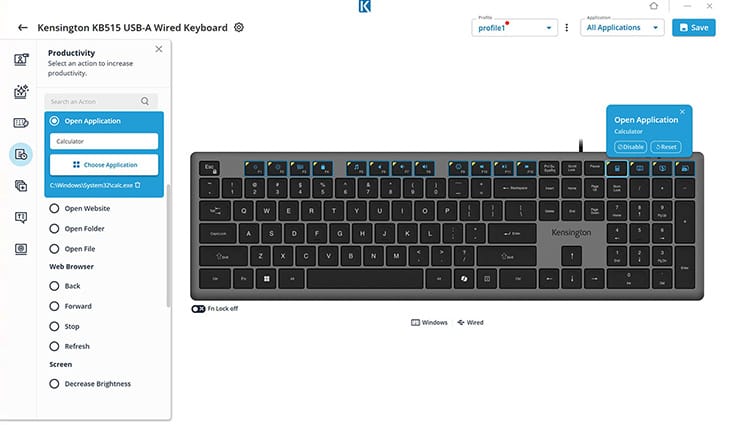
Sixteen customisable keys include the usual media keys, along with shortcuts for the calculator, minimising windows, and search functionality, among others. The customisation is set up via a free app downloadable from the Kensington website.
There’s no manual included, just a sheet of paper directing you to the Kensington Konnect software and an online instruction guide. The Konnect app is easy to use, and it had no trouble pairing with the keyboard. From here, I could check the firmware, customise the keys with preset functions, or create my own macros. I could also save or back up my keyboard settings to the cloud.
I feel it’s a keyboard designed more for desktop docking stations than anything else. The minimalist look gives it a bit more corporate class than a grungy RGB-afflicted gaming keyboard. It’s simplistic, but stylish.

Anyone looking for a clean professional desktop would do well to check out the Kensington KB515 EQ keyboard. It feels great typing and is still responsive enough for a bit of gaming as well. The programmable shortcuts are very handy for routine functions and important apps. And it’s all wrapped up in a full-sized but lightweight chassis if you want to use it on the go.