
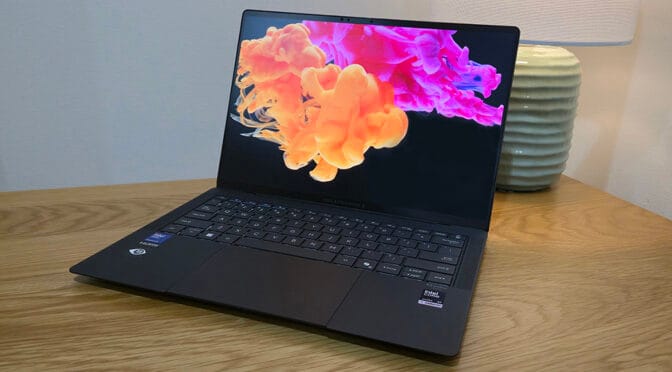
Asus is boldly labelling its new ExpertBook Ultra “The Flagship of the Industry. Period”. I take a look at the ExpertBook Ultra B9406CAA.
Asus has a strong track record with its sleek yet durable lineup of slim notebooks. These elegantly designed devices never fail to impress. I still get a thrill every time I open one. From the lightweight alloy chassis to the performance within, they consistently deliver a truly premium experience.
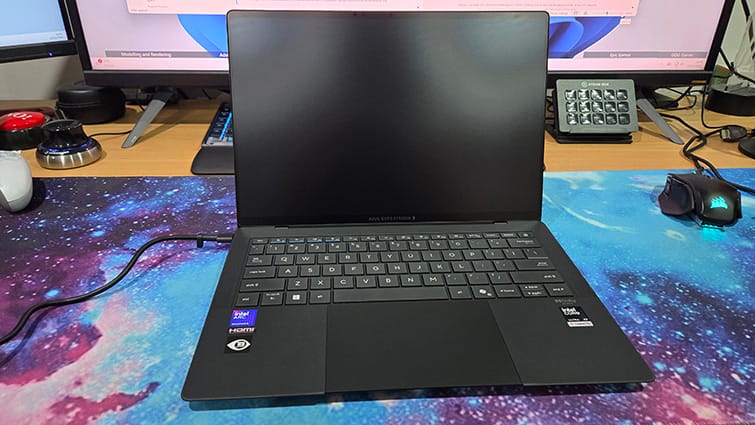
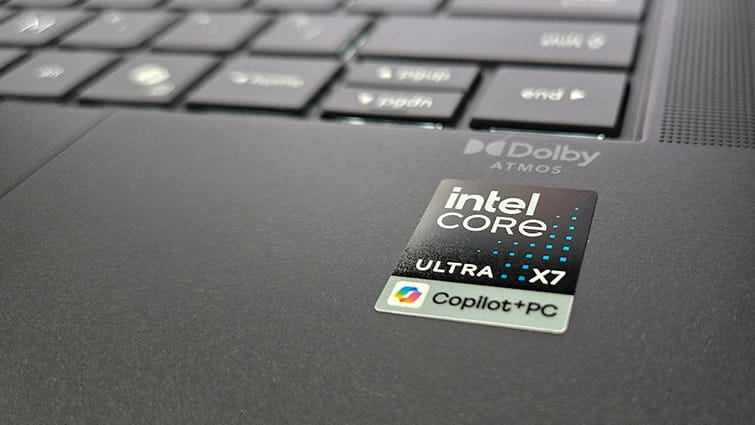
Under the hood, our review unit is powered by a Panther Lake Intel Core Ultra Series 3 X7 358H processor paired with an Intel Arc B390 GPU. It’s equipped with 32GB of Samsung LPDDR5 RAM and a 512GB SanDisk SN100s PCIe 4.0 NVMe SSD.
The display is a 14?inch 2880×1800 touchscreen featuring a variable refresh rate of up to 120Hz and an impressive 1400?nit HDR tandem OLED panel. It’s protected by a Gorilla Glass Victus screen with a matte, paper?like finish. The tandem OLED technology boosts brightness while reducing power consumption, and the matte coating virtually eliminates glare, making it easier to read and more comfortable on the eyes.
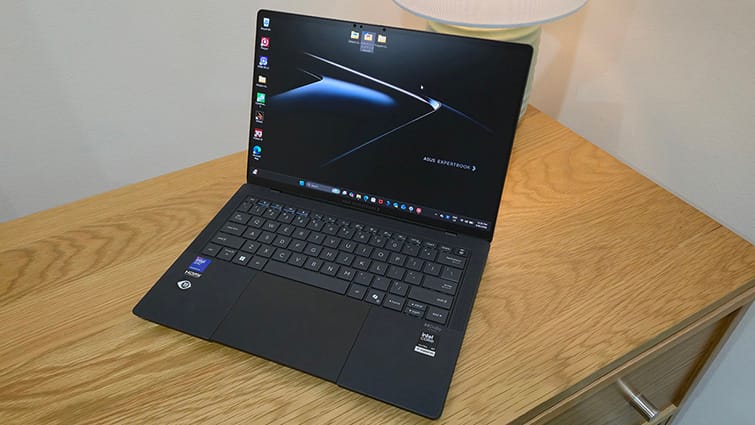
Portability is important. No one wants to carry around a bulky performance laptop. Measuring 31cm by 21cm, just over 10mm thick, and weighing around 1kg, the ExpertBook Ultra slips easily into a bag and is light enough to hold in one hand comfortably.
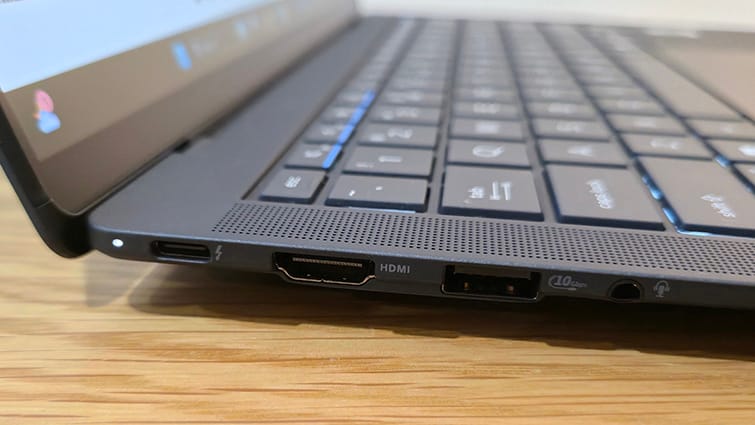
The ExpertBook offers all the connectivity you’re likely to need. It includes two Thunderbolt 4 Type-C ports and two USB 3.2 Gen 2 Type-A ports, with one of each positioned on both the left and right sides. The left side also features an HDMI 2.1 port and a headphone jack.
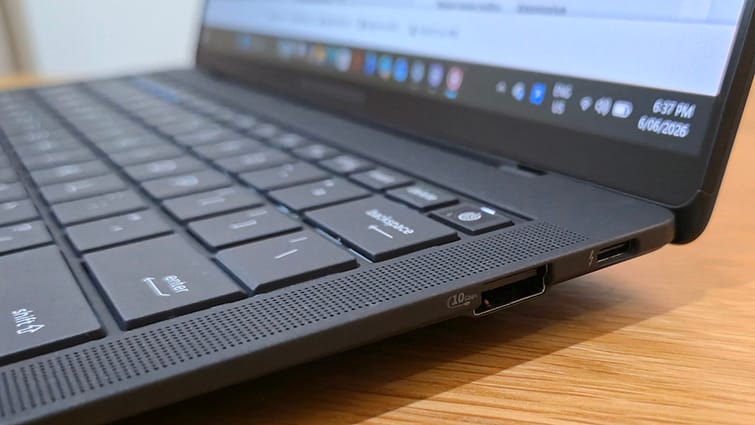
There’s no built-in RJ45 Ethernet port, but a hub or USB adapter can provide wired networking if needed. Otherwise, the notebook’s Wi?Fi 7 capabilities should more than cover most needs.
As a business device, security plays a big part in the ExpertBook Ultra’s design. The Asus ExpertGuardian platform, powered by a dedicated security processor, handles most of this behind the scenes, and I didn’t find that it interfered with using the device at all.
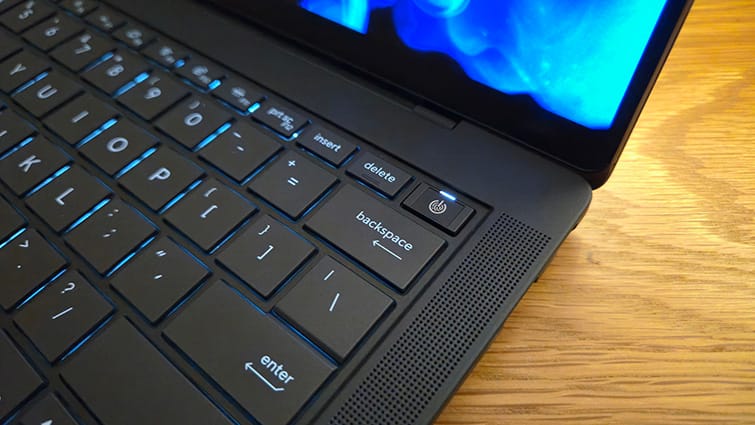
The system detects chassis intrusion and also keeps a log of any tampering events, securing the BIOS and other critical firmware. The power button doubles as a fingerprint sensor, and it also uses Windows facial recognition for quick and secure sign-in, which I found worked smoothly in day-to-day use. A dual BIOS setup adds another layer of protection, so if an update fails, the earlier BIOS kicks in, helping to avoid data or access issues.
There’s also a discrete TPM 2.0 chip for secure authentication, alongside a physical webcam shield and clear camera and microphone activity indicators, which I always appreciate. The ExpertBook meets NIST SP 800-193 standards, delivering low-level protection, detection, and recovery safeguards without needing expert intervention.
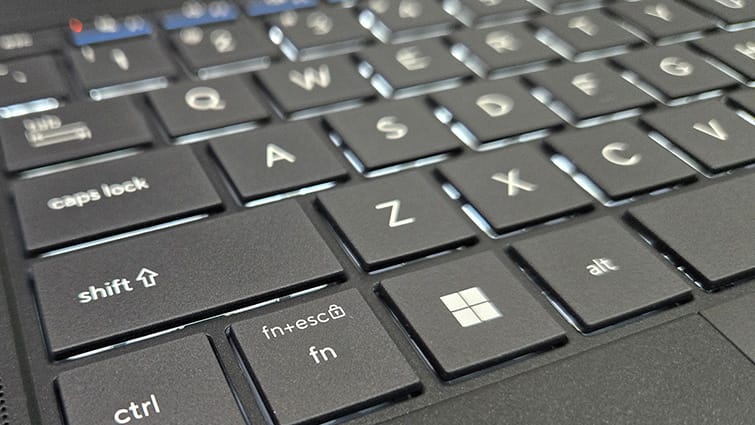
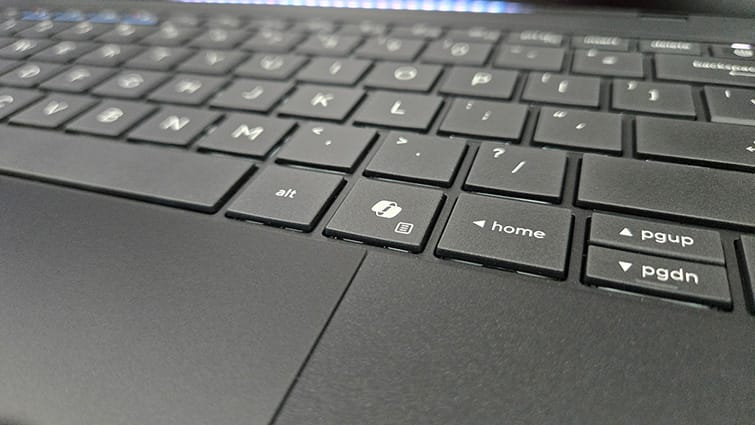
The full-size backlit keyboard makes accurate typing a breeze. I found the 1.5mm key travel gives each press a nice, positive feel without having to hammer the keys.
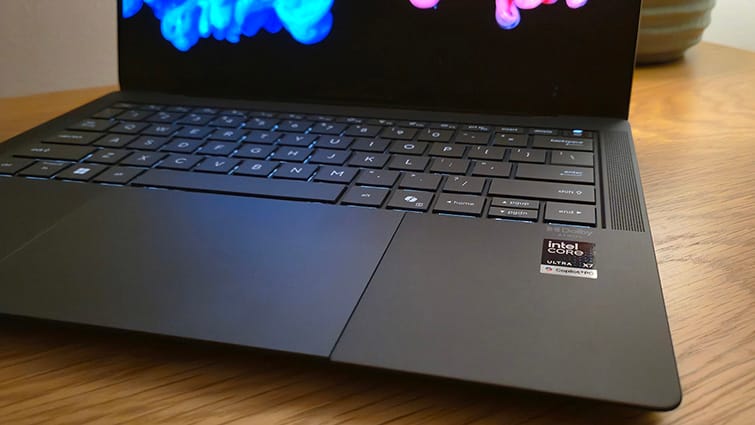
The haptic touchpad is next level, making the otherwise inert pad feel like you are pressing an actual button. It feels genuinely premium in use, with a uniform click you can feel but not hear, no matter where you press. I even tried pressing it again with the unit switched off, which really highlights just how effective this subtle feature is in the overall experience. The glass surface also helps, letting your fingers glide smoothly across the touchpad.
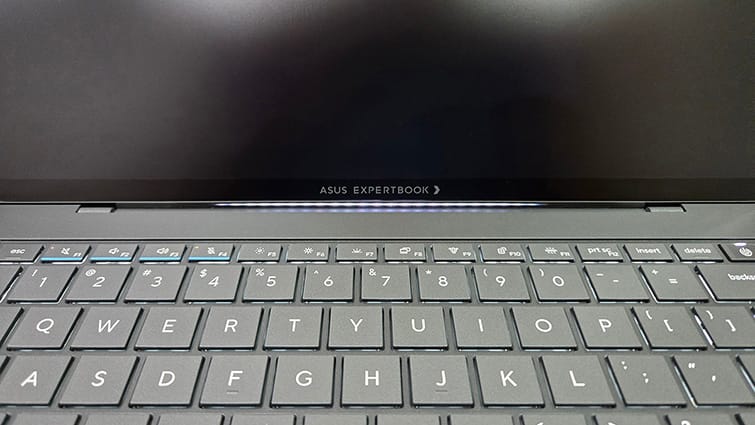
The ExpertLumi light, positioned just beneath the display, greets you on startup. It’s not the kind of RGB spectacle you see on many consumer laptops, but I actually prefer its more subtle approach. Beyond looking neat, it acts as a useful indicator for booting, logging in, and shutting down, adding a touch of functional flair to the overall design.
Inside, the ExpertBook Ultra looks very similar to my Asus Xbox Ally X. It uses a dual-fan cooling system with twin heat pipes, and a single 2280 M.2 drive bay sits centrally within the layout. Like the Ally, this setup provides efficient cooling, and in my experience, it keeps the device running almost silently. A four-cell 70Wh battery is housed beneath the keyboard, which should comfortably deliver over 10-15 hours of solid use between charges.
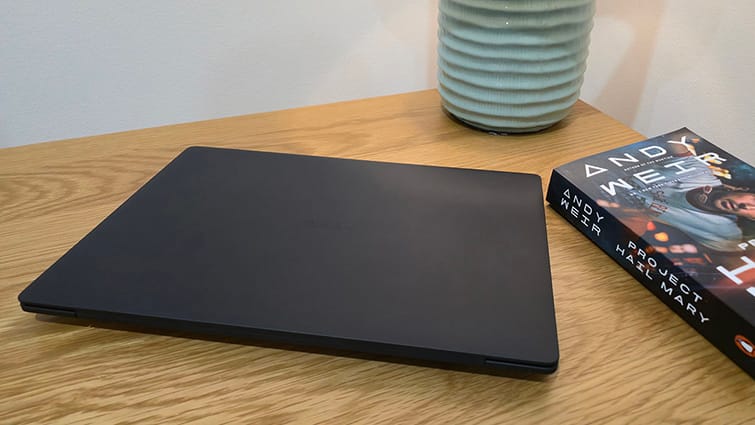
Asus likes to highlight its military-grade durability, and the ExpertBook Ultra is no exception. Much like its TUF Gaming lineup, which are almost bomb-proof, this notebook is built to withstand serious punishment. It has been tested at altitudes up to 15,000 feet, exposed to temperature shocks ranging from -51°C to 60°C, ran in 95% humidity, and even subjected to loads of up to 100kg.
The ExpertBook looks and feels the part, but what about performance?
My everyday laptop is the similarly styled Asus Zenbook 14 OLED from 2024. I see it very much as the baby brother to the ExpertBook Ultra, but it’s close enough to make the Ultra’s premium features stand out even more. For example, while the Zenbook’s OLED touchscreen is impressive, I’ve always found it quite reflective. After spending time with the ExpertBook’s paper-like matte display, going back to the Zenbook feels like typing on a mirror.
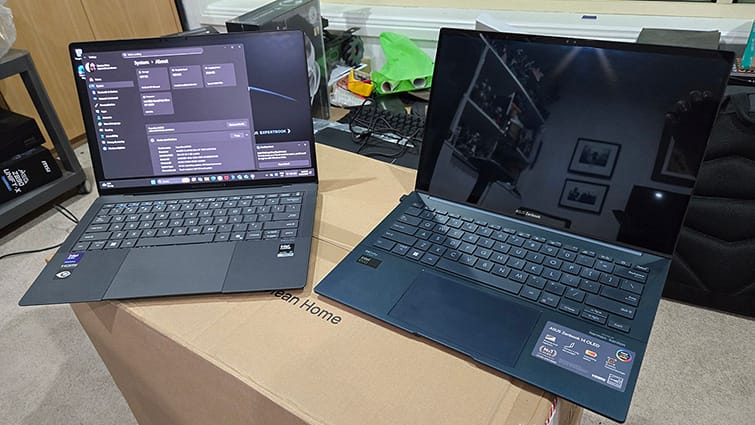
My Zenbook is powered by an Intel Core Ultra 7 155H with integrated Arc graphics and an NPU. It serves as a solid reference point for comparing performance between the two devices.
I’m using UL Solutions’ professional benchmarking suite, including 3DMark, PCMark 10, and Procyon, to run a mix of simulated and real-world performance tests. 3DMark will focus on GPU performance, PCMark 10 covers broader productivity tasks, and I’ll use Procyon to evaluate Office applications as well as battery performance.
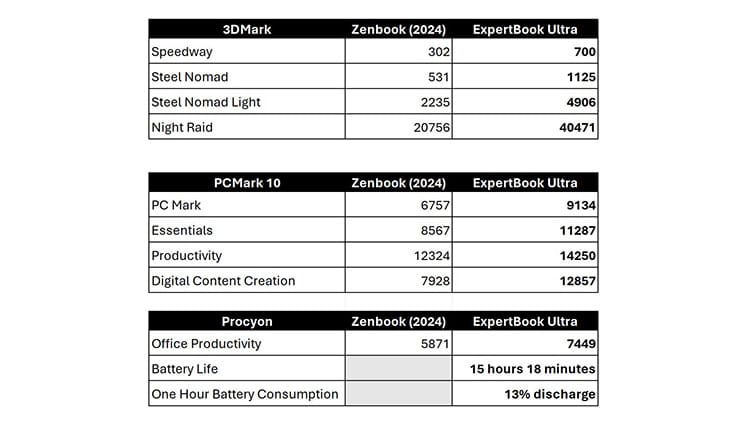
The 3DMark scores were consistently double those of my Zenbook, which I use with Photoshop and SketchUp on a semi-daily basis, really highlighting the notebook’s graphical prowess. It’s not a gaming machine, but with performance on par with Nvidia’s GeForce RTX 4050 GPUs, you’ll likely be fine with 3D-accelerated applications like AutoCAD or SketchUp, as long as the models aren’t too large. You’ll also be able to play the odd game.
PCMark 10 benchmarks further highlighted the ExpertBook Ultra’s advantage, with notably higher scores than my Zenbook across Essentials, Productivity, and Digital Content Creation benchmarks. This underscores its strong capability for everyday tasks and gives me confidence in its performance as a versatile portable workstation.
In Procyon’s real-world Microsoft Office tests, the ExpertBook Ultra continued to lead, consistently outperforming my reliable Zenbook. Its superior results across standard business applications reinforce how effectively it handles typical office workloads.
The Procyon Battery Life Benchmark delivered an impressive 15 hours and 18 minutes from a full charge down to shut down. In the shorter One Hour Battery Consumption Benchmark, the charge dropped by just 13%, which I found reassuring. In practical terms, you can easily expect a full day’s work from the ExpertBook using standard office applications without needing to reach for the charger.
Lastly, the single 512GB NVMe drive, which can be upgraded relatively easily, is rated for data transfer speeds of up to 7300 MB/s. In CrystalDiskMark testing, it achieved a maximum read speed of 6666.97 MB/s and a maximum write speed of 4120.87 MB/s, suggesting a well-optimised system that makes the most of its components.
Of course, this level of style, functionality and performance comes at a cost. But, as someone who appreciates high-performance, premium consumer PCs, I’ve long felt that corporate laptops tend to prioritise function over form. Too often, they’re bulky, heavy, and deliver only adequate performance, capable but hardly inspiring, and better suited to a dull office than a dynamic, productive environment.
The new Asus ExpertBook Ultra changes that.
It brings a business-focused solution that can keep pace with modern workflows, handling spreadsheets one moment and creating animated social media content the next. The notebook oozes style. The level of versatility once reserved for consumer-grade devices is now firmly embedded in and even surpassed by the business-class Asus ExpertBook Ultra.